VidBee vs. ytDownloader
Compare the key features of VidBee and ytDownloader.
Free and open source.
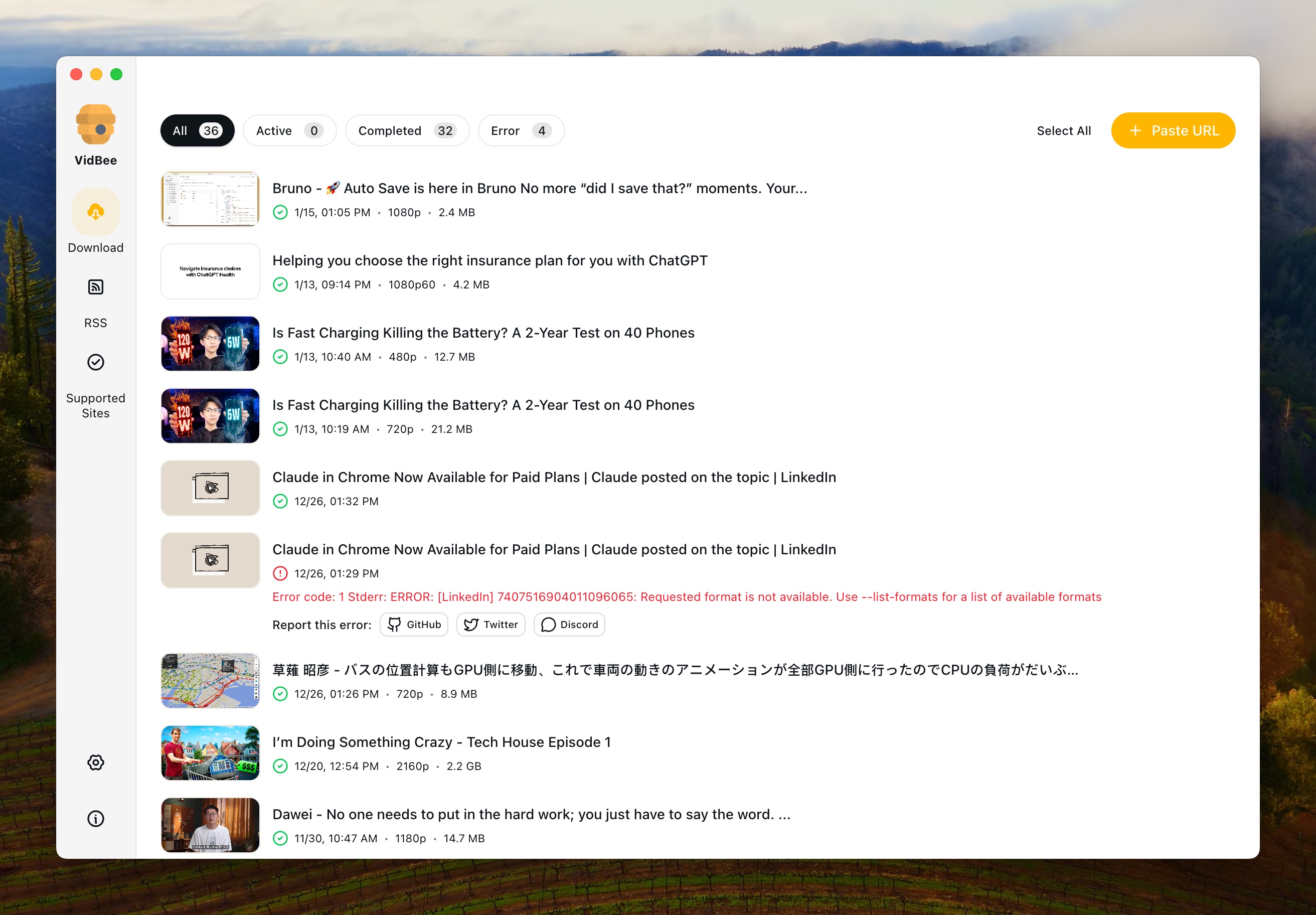
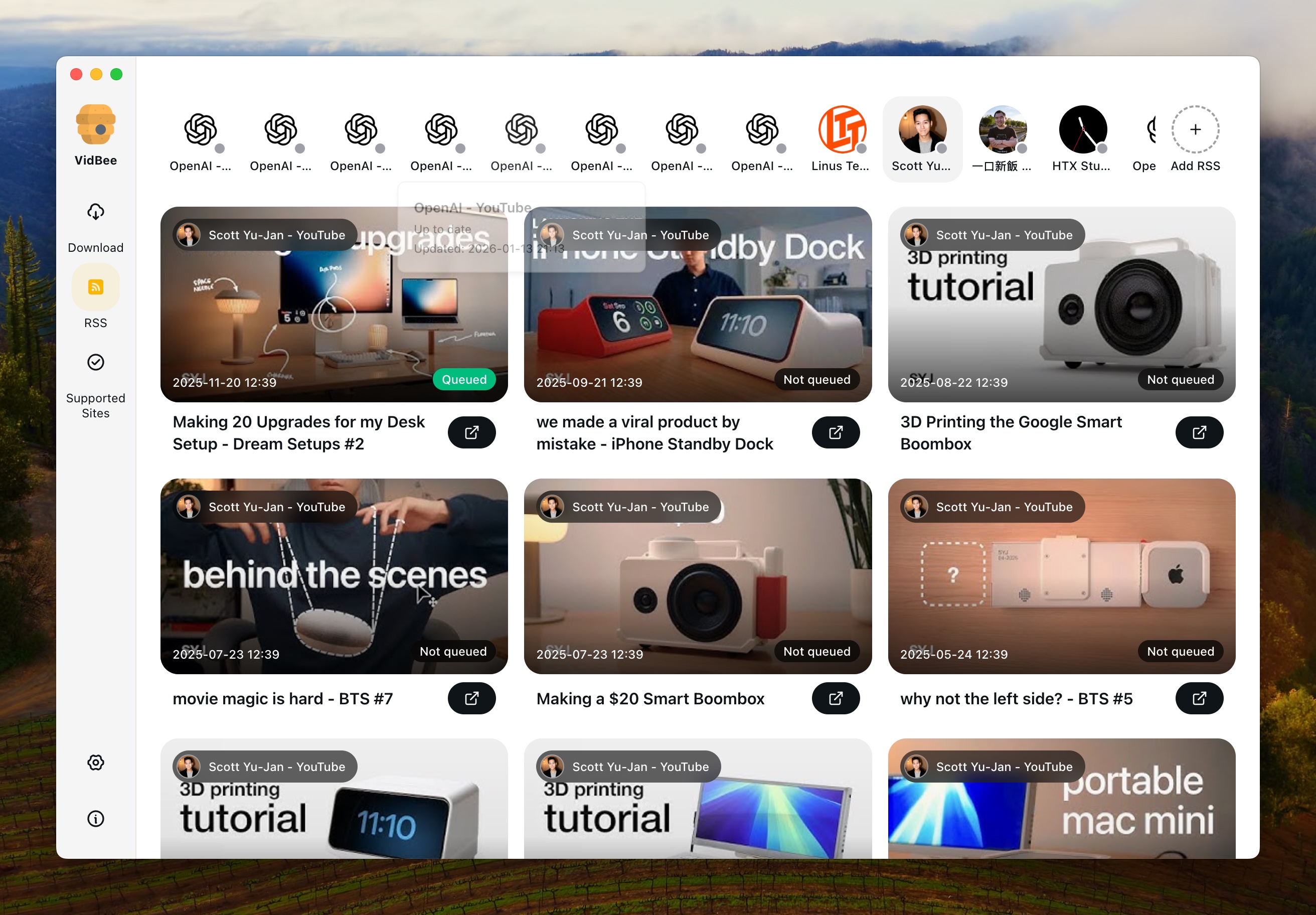
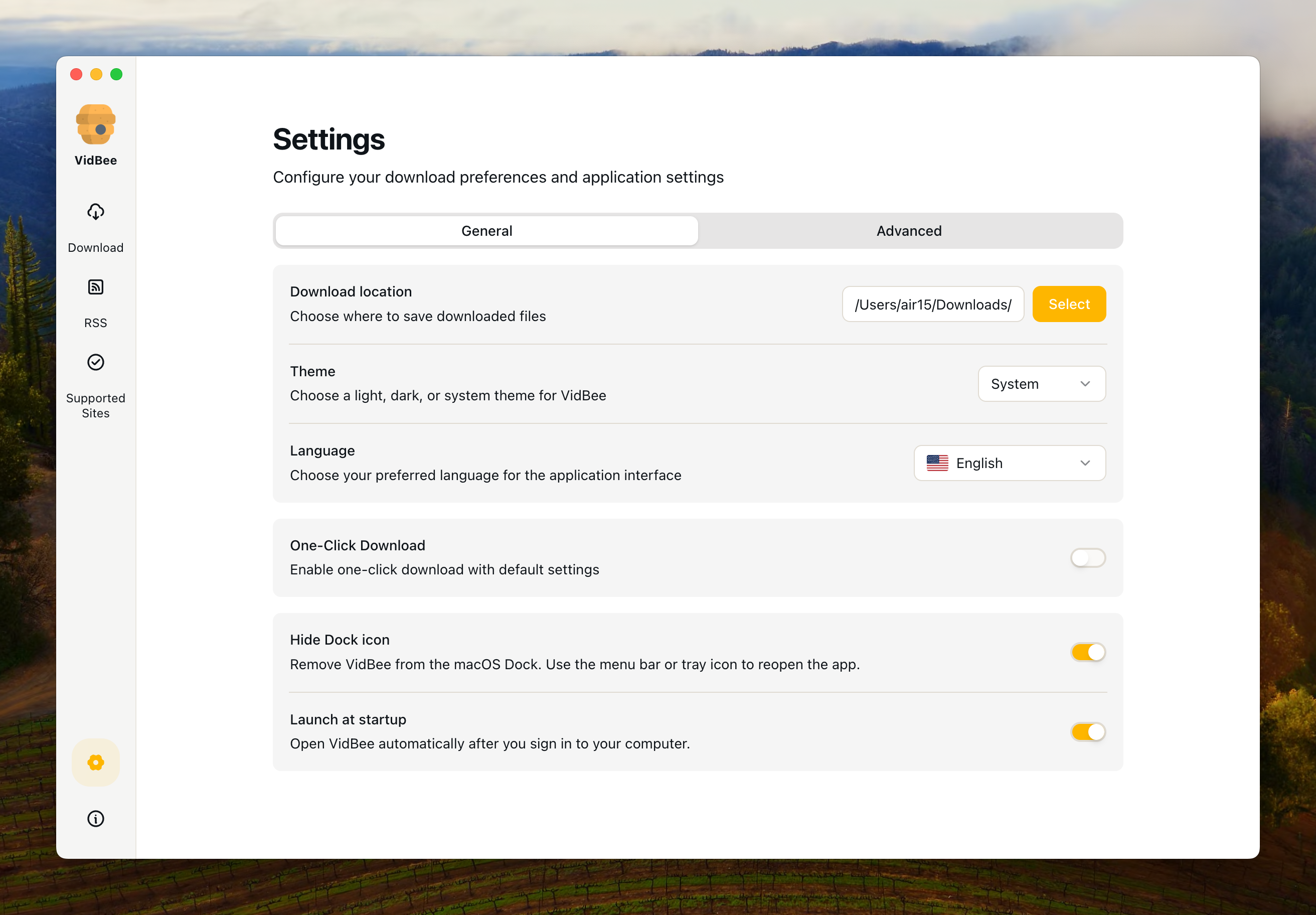
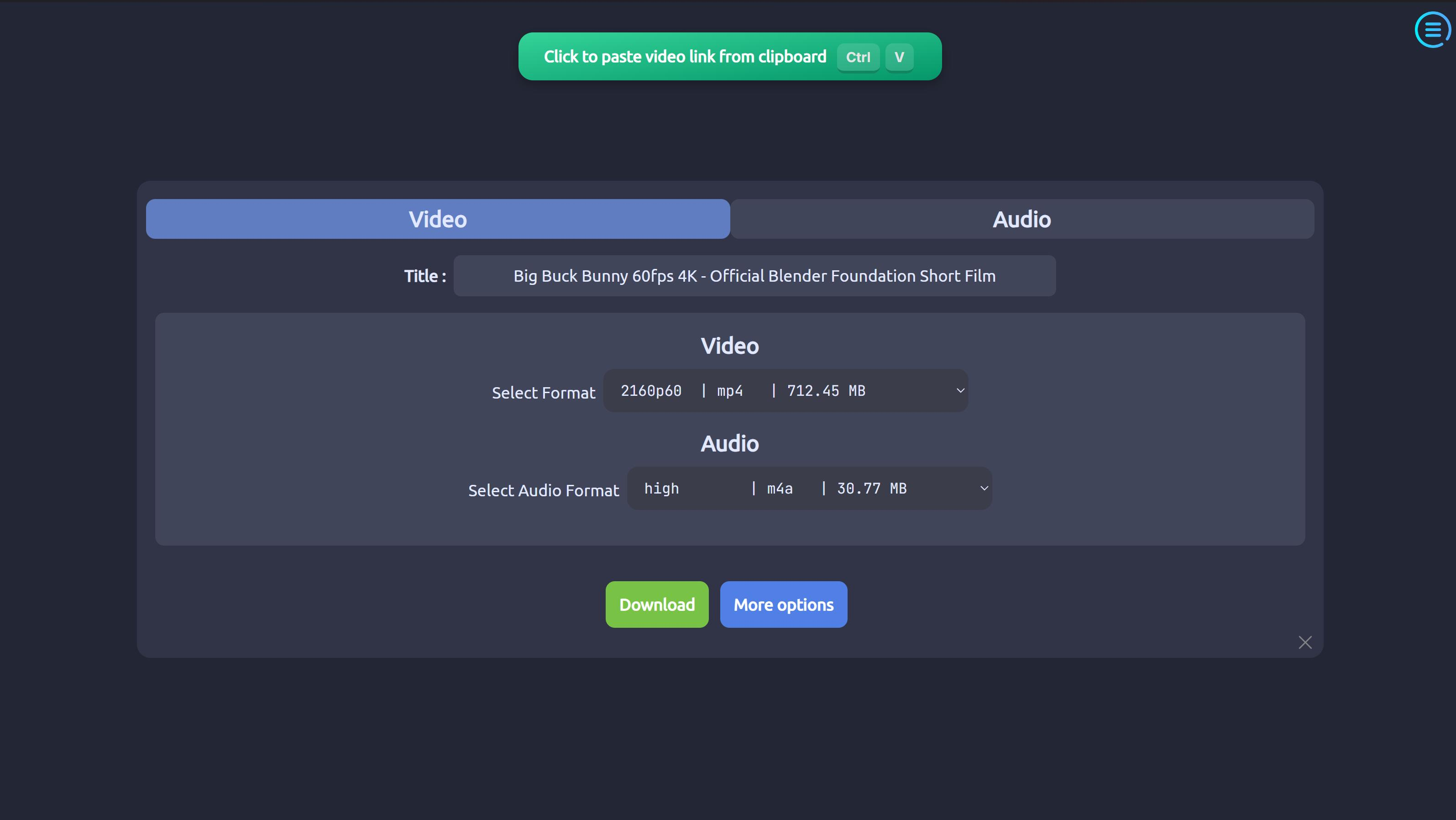
Interface Preview
VidBee
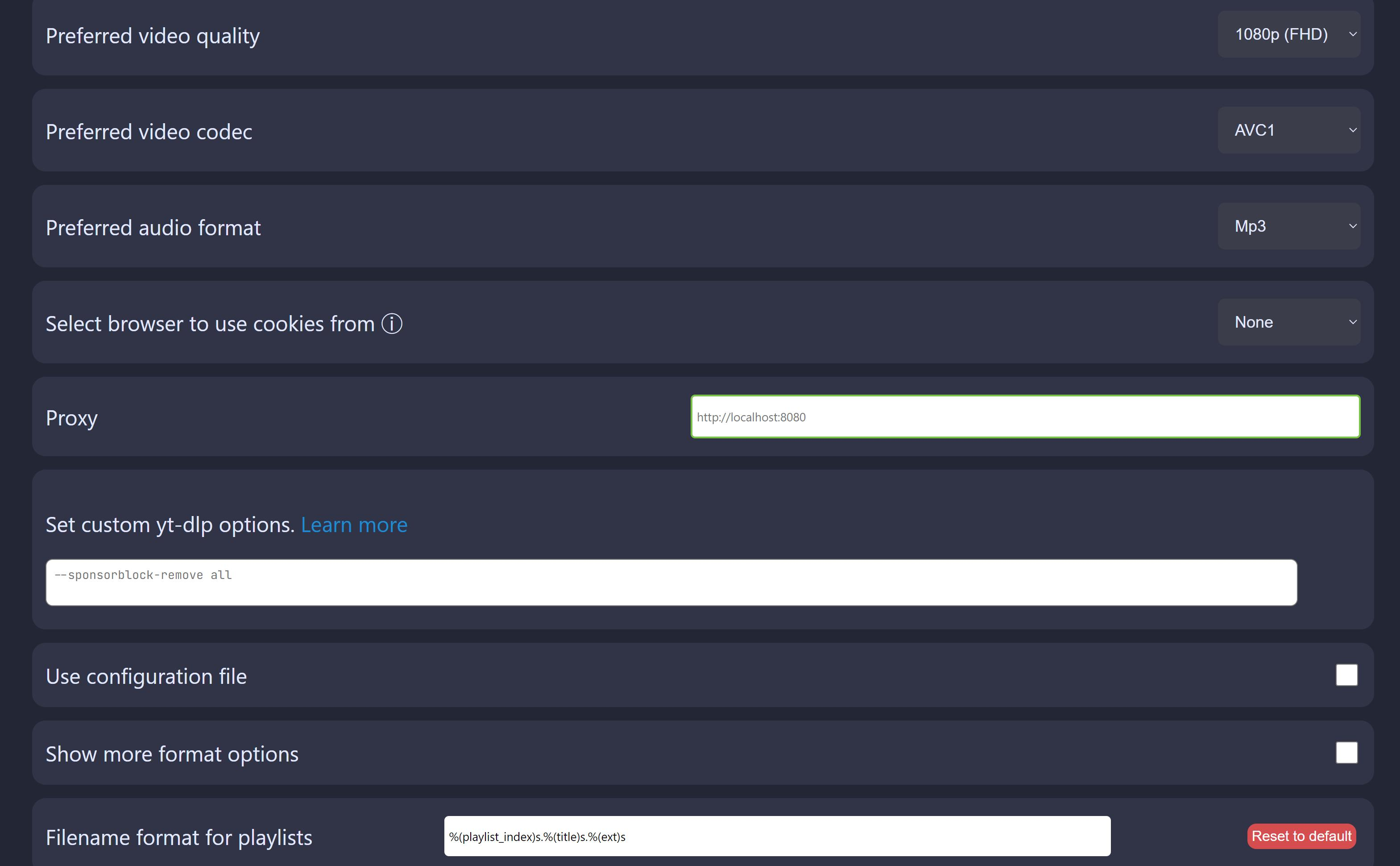
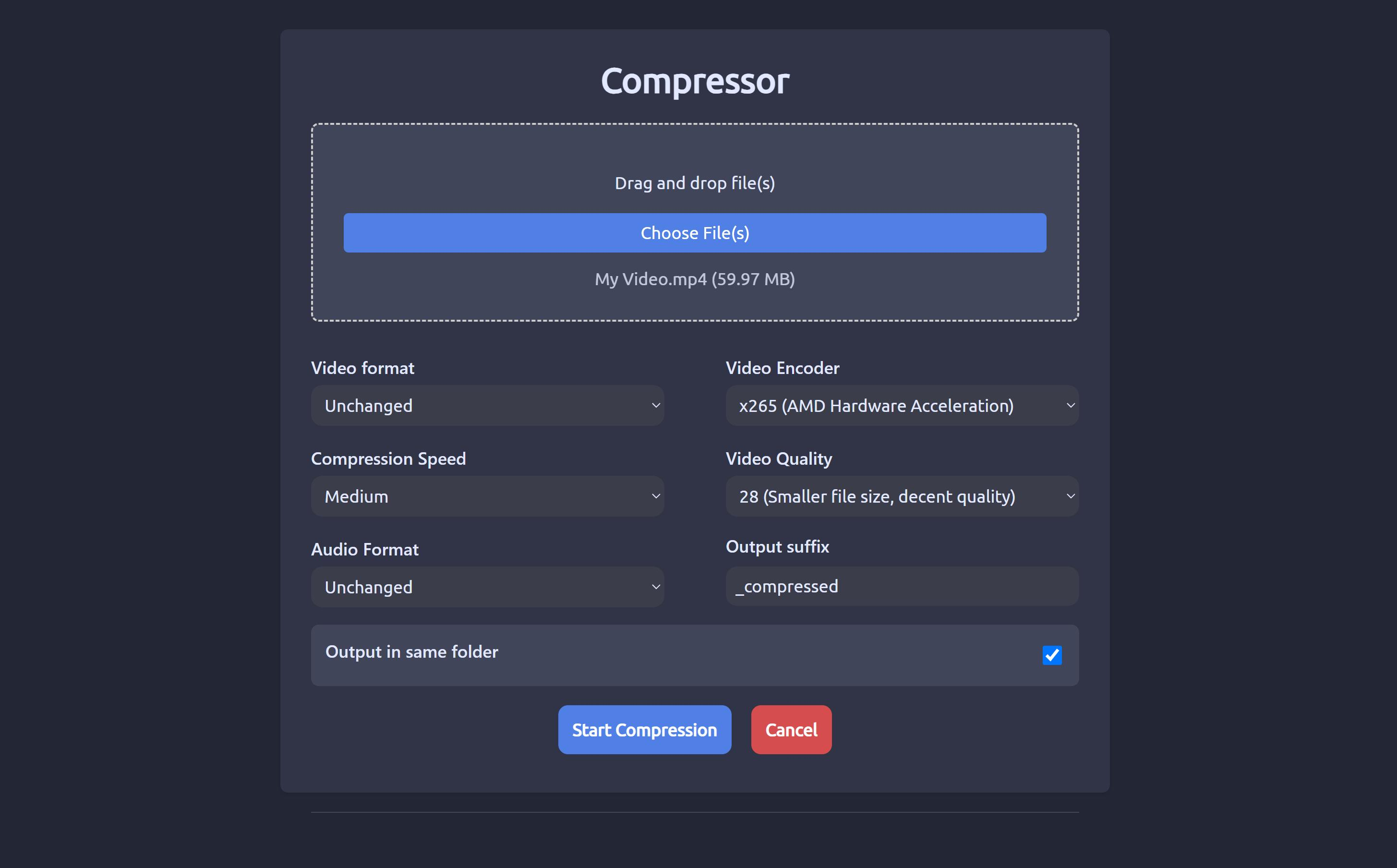
ytDownloader
Why choose VidBee over ytDownloader?
| VidBee | ytDownloader | |
|---|---|---|
| Core Download Features | ||
| Supported Sites & Range | Powered by yt-dlp, supports 1000+ video/audio platforms including YouTube, TikTok, Instagram, X (Twitter), Facebook, Bilibili, etc. | Modern GUI video and audio downloader supporting hundreds of sites including YouTube, Facebook, Instagram, TikTok, Twitter, and more. |
| Cross-platform Support | ✓ | ✓ |
| Backend Engine | Built-in yt-dlp + ffmpeg, pre-bundled for out-of-box use. | Uses yt-dlp + ffmpeg under the hood; some platforms (e.g. macOS) require installing yt-dlp/ffmpeg separately. |
| Single Video Download | ✓ | ✓ |
| Playlist Download | ✓ | ✓ |
| Video & Audio (Separate) | Supports multiple formats via yt-dlp/ffmpeg, video and audio extraction. | Downloads videos and audios from supported sites. |
| Advanced Options | Uses yt-dlp advanced options; focuses UI on common quality/format choices. | Built-in advanced options such as range selection and subtitles. |
| Download Queue & History | Modern queue management with visual progress, batch handling, and download history for easy re-download. | Focuses on straightforward downloads; queue/history are more traditional and not as centrally emphasized in the UI. |
| Background Downloads | ✓ | — |
| Auto-start on Boot | ✓ | — |
| RSS Subscription & Automation | ||
| RSS Monitoring | Built-in RSS subscription support: automatically monitors feeds and detects new content. | — |
| Auto-download from RSS | Automatically downloads new videos when RSS feeds update; "set and forget" personal archive. | — |
| RSS Subscription Management | Manage multiple feeds with per-subscription rules (quality, format, folder, etc.). | — |
| Interface & User Experience | ||
| Interface Design | Modern desktop client built with Electron + React + Tailwind; clean, minimal, queue-centric UI. | Traditional Electron GUI with basic controls and panels; functional but UI design is fairly standard. |
| Themes / Appearance | Light/modern styling; design emphasizes clarity over heavy theming. | Multiple themes (light/dark, etc.) built in. |
| Multi-language Interface | Multi-language site and app, with Chinese, English, Japanese, Korean, etc. | Extensive localization via Crowdin; supports Arabic, English, Simplified Chinese, French, German, and many other languages. |
| Extra Tools | Focused on reliable downloading, queueing, and automation (RSS) rather than post-processing. | Includes a video compressor with hardware acceleration, making it easy to shrink files after download. |
| Installation & Distribution | ||
| Windows | Installer builds with all core dependencies bundled; click-to-run. | Multiple options: EXE/MSI, Chocolatey, Scoop, WinGet. |
| macOS | Codesigned & bundled (with yt-dlp + ffmpeg) for a smoother, dependency-free experience. | Requires extra steps: remove quarantine attributes and install yt-dlp via Homebrew; ffmpeg may be managed separately. |
| Linux | AppImage/Deb/other packages (depending on releases), all with embedded backend tools. | Rich Linux story: Flatpak, AppImage, Snap; Flatpak recommended for most users. |
| Bundle vs External Deps | Larger package size because yt-dlp & ffmpeg are pre-bundled for "download and go" usage. | Smaller core app; relies more on system-level yt-dlp/ffmpeg, so some users must configure dependencies manually. |
| License & Community | ||
| License | Open source, MIT License (permissive; easy to integrate in other apps). | Open source, GPL-3.0 (copyleft; derivatives must remain GPL-compatible). |
| Community & Activity | Newer project but actively developed in the open with a focus on UX, RSS automation, and cross-platform packaging. | Mature project with 6k+ stars, dozens of releases, and multiple contributors, available in many Linux and Windows repos. |
Understanding the Key Differences
Platform Coverage: Both Are Multi-Site, VidBee Goes for "Everywhere"
Both tools are not "YouTube-only" — they piggy-back on yt-dlp to support a large number of platforms. VidBee positions itself as a universal downloader for 1000+ sites, including YouTube, TikTok, Instagram, X (Twitter), Facebook, Bilibili, and many others. ytDownloader is likewise a multi-site GUI and explicitly advertises support for hundreds of sites. If you mainly care about "paste URL from any site and download", both are capable; VidBee leans harder into the "download from everywhere" branding.
Automation & RSS: VidBee's "Set & Forget" vs Manual Fetching
The biggest differentiator is RSS automation: VidBee ships with RSS subscription and background auto-download. You can subscribe to RSS feeds, let VidBee monitor them in the background, and automatically grab new videos as they appear — great for auto-backups or "personal Netflix-style library" building. ytDownloader has no built-in RSS; you manually paste URLs or playlists whenever you want to download. If you want a hands-off workflow (subscribe once and forget), VidBee is much stronger here.
Queue Management vs Compression Power
VidBee highlights a queue-centric UI with download history: you see multiple tasks, can pause/resume, and re-download from history. ytDownloader focuses more on advanced download options and compression, including a video compressor with hardware acceleration and range selection/subtitles configuration. So if your priority is automation + managing lots of downloads over time, VidBee will feel nicer. If you frequently need to shrink files after download or fine-tune technical options inside one app, ytDownloader has extra knobs.
Interface, Themes, and Languages
VidBee is built with modern web technologies (Electron + React + Tailwind), providing a contemporary, intuitive interface that focuses on desktop client experience. ytDownloader uses Electron but has a more traditional, basic GUI design that prioritizes functionality over modern aesthetics. On themes: VidBee offers light/modern styling with clarity-focused design; ytDownloader provides multiple themes (dark/light, etc.). On localization: VidBee offers multi-language website/app (EN/中文/日本語/한국어 等). ytDownloader has a big translation community via Crowdin and ships with many languages including Arabic, English, Simplified Chinese, French, German, etc. If you prefer a modern, streamlined interface, VidBee offers a more contemporary user experience.
Installation & Dependencies: All-in-One vs Package-Manager-Friendly
VidBee bundles yt-dlp and ffmpeg directly in the installer. That means a bigger download, but you don't have to think about dependencies — it's ready after install. ytDownloader integrates nicely with package managers (Flatpak, Snap, AppImage, Chocolatey, Scoop, WinGet), but often expects yt-dlp/ffmpeg to be installed separately, especially on macOS. So VidBee trades disk size for zero-setup; ytDownloader trades compactness and ecosystem integration for a bit more manual setup.
License: MIT vs GPL-3.0
VidBee uses the MIT License, a very permissive license that makes it easy to embed VidBee's code or ideas into other open or closed-source projects (as long as you keep the copyright & license notice). ytDownloader is under GPL-3.0, a copyleft license that requires derivative works to remain GPL-compatible and distribute source when they're shared. If you're evaluating these tools as a user, this mostly doesn't matter. If you're a developer planning to integrate or redistribute, the license difference is significant: MIT is easier to reuse in proprietary stacks; GPL-3.0 enforces openness.
Use Case Recommendations
Choose VidBee if you want a universal, multi-site downloader you can point at almost any platform, care about RSS auto-download and "always-up-to-date" offline archives, prefer a queue-centric, history-aware UI and all dependencies bundled for you, and need a permissively licensed (MIT) project that's easy to integrate into your own ecosystem. Choose ytDownloader if you prefer a feature-rich GUI with built-in video compression (HW accelerated), are comfortable installing yt-dlp/ffmpeg yourself or via package managers, like having lots of installation options (Flatpak, Snap, Chocolatey, Scoop, WinGet, etc.), and are fine with GPL-3.0 and maybe want to contribute to a long-running, established project.