VidBee vs. Downie

Compare the key features of VidBee and Downie.

Completely free. No registration or account required.

Quick verdict

Downie is a polished native macOS downloader, while VidBee is a free, open-source downloader built for Windows, macOS, and Linux. Choose Downie if you want a paid Mac-first app and already like its native workflow. Test VidBee if you want cross-platform support, visible source code, bundled yt-dlp and FFmpeg tooling, RSS automation, queue history, and a downloader workflow you can keep consistent across more than one operating system.

Which one should you choose?

Choose VidBee if you want

  • One open-source downloader across Windows, macOS, and Linux.
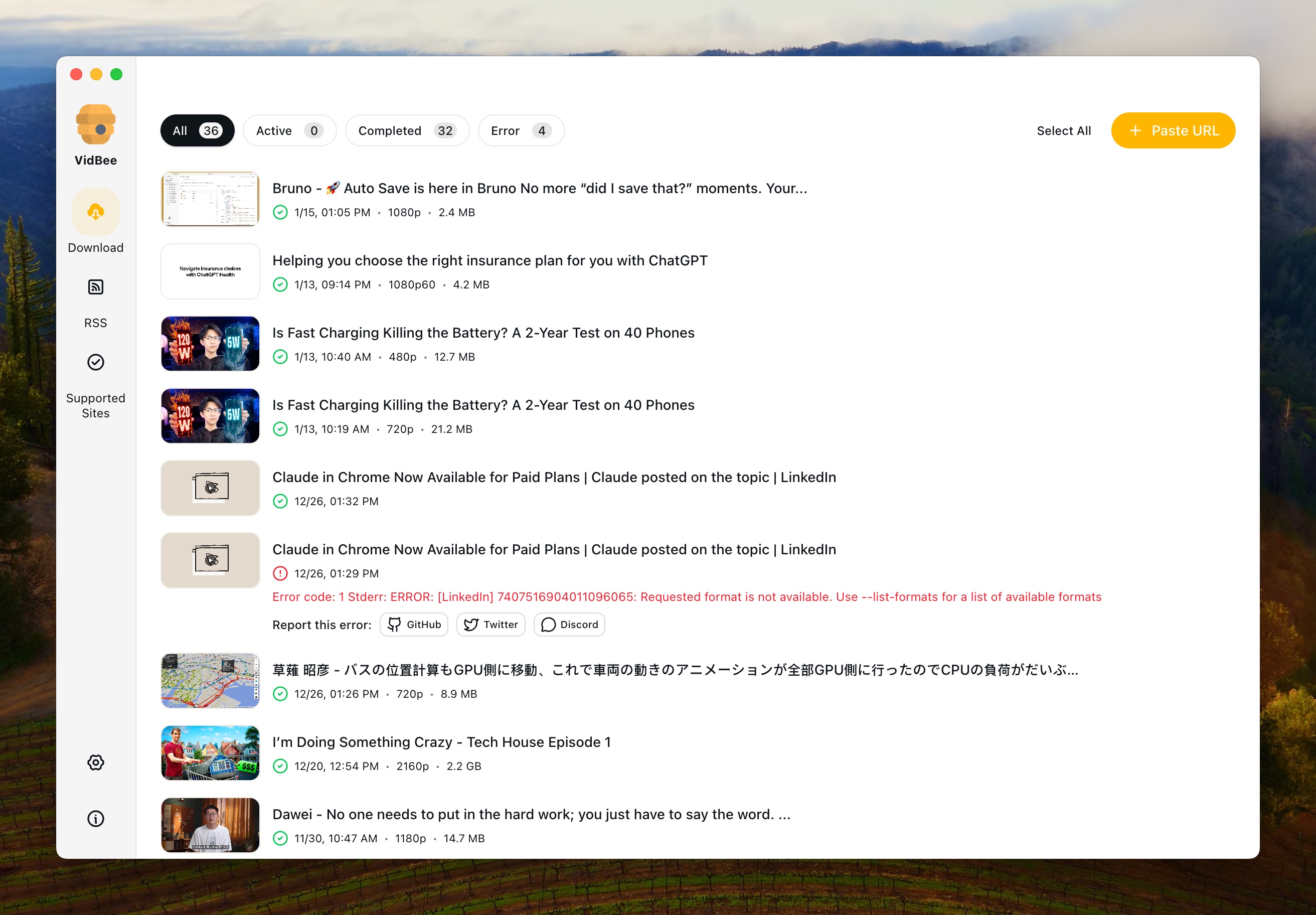
  • RSS subscriptions, background queues, retries, and download history.
  • Bundled yt-dlp and FFmpeg instead of a Mac-only product workflow.
  • A free MIT-licensed project with public source and releases.

Choose Downie if you want

  • A native macOS app with a polished Mac-first interface.
  • A paid commercial product from a dedicated Mac software developer.
  • A workflow you will only use on macOS.
  • Downie's exact browser integration and app behavior.

How to evaluate VidBee vs Downie

Mac-native polish versus cross-platform consistency

VidBee

VidBee gives you one open-source downloader workflow across Windows, macOS, and Linux, which is useful when you do not want a Mac-only tool decision.

Downie

Downie is a polished Mac-first app, so it should be evaluated as a native macOS product rather than as a cross-platform downloader.

What to test

Run the same public URL on your Mac first, then repeat the workflow on Windows or Linux if you use those systems. Compare folders, formats, subtitles, and queue behavior.

Manual downloads versus repeat automation

VidBee

VidBee's RSS subscriptions, background queue, retries, and history are built for recurring downloads and longer-running archives.

Downie

Downie can be a strong fit when your work is manual, Mac-only, and centered on its native capture and download flow.

What to test

List how often you download from the same sources. If the same channels, feeds, or playlists repeat, test whether VidBee's RSS and history reduce manual work.

Source visibility and ownership

VidBee

VidBee is free and MIT-licensed, with source code, releases, and license text visible from the official repository.

Downie

Downie is commercial Mac software, so the long-term decision includes paid licensing, native app updates, and product trust.

What to test

Review the official pricing, license, update path, and whether open-source transparency matters for your organization or personal workflow.

Output control and metadata

VidBee

VidBee focuses on yt-dlp and FFmpeg powered output control, including quality, subtitles, audio extraction, and repeatable folders.

Downie

Downie is known for a polished Mac output workflow, so Mac-only users should test whether its native defaults match their habits.

What to test

Use one video with subtitles, one audio extraction, and one playlist. Compare naming, metadata, sidecar files, and whether the output is ready without extra cleanup.

Interface Preview

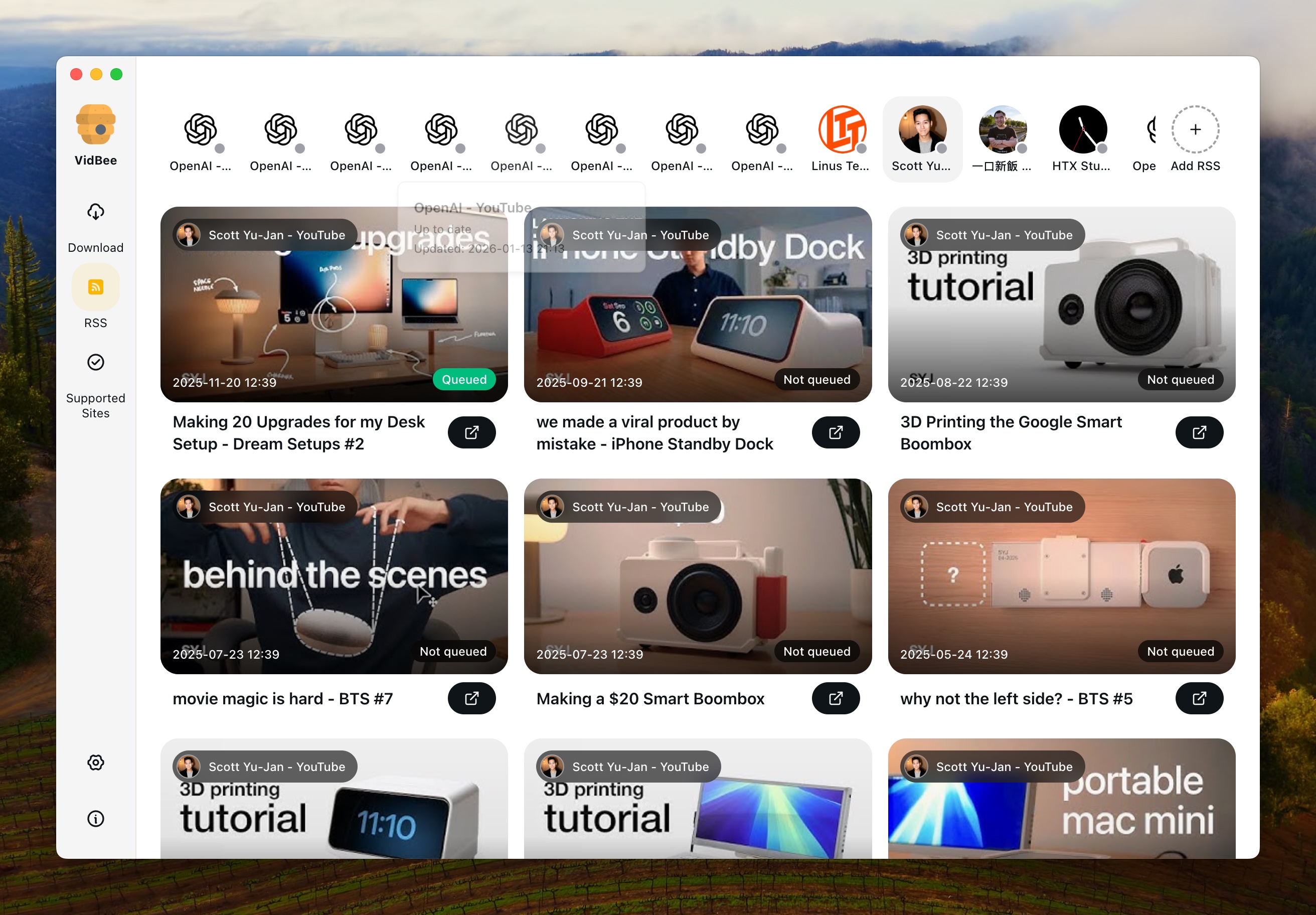
VidBee

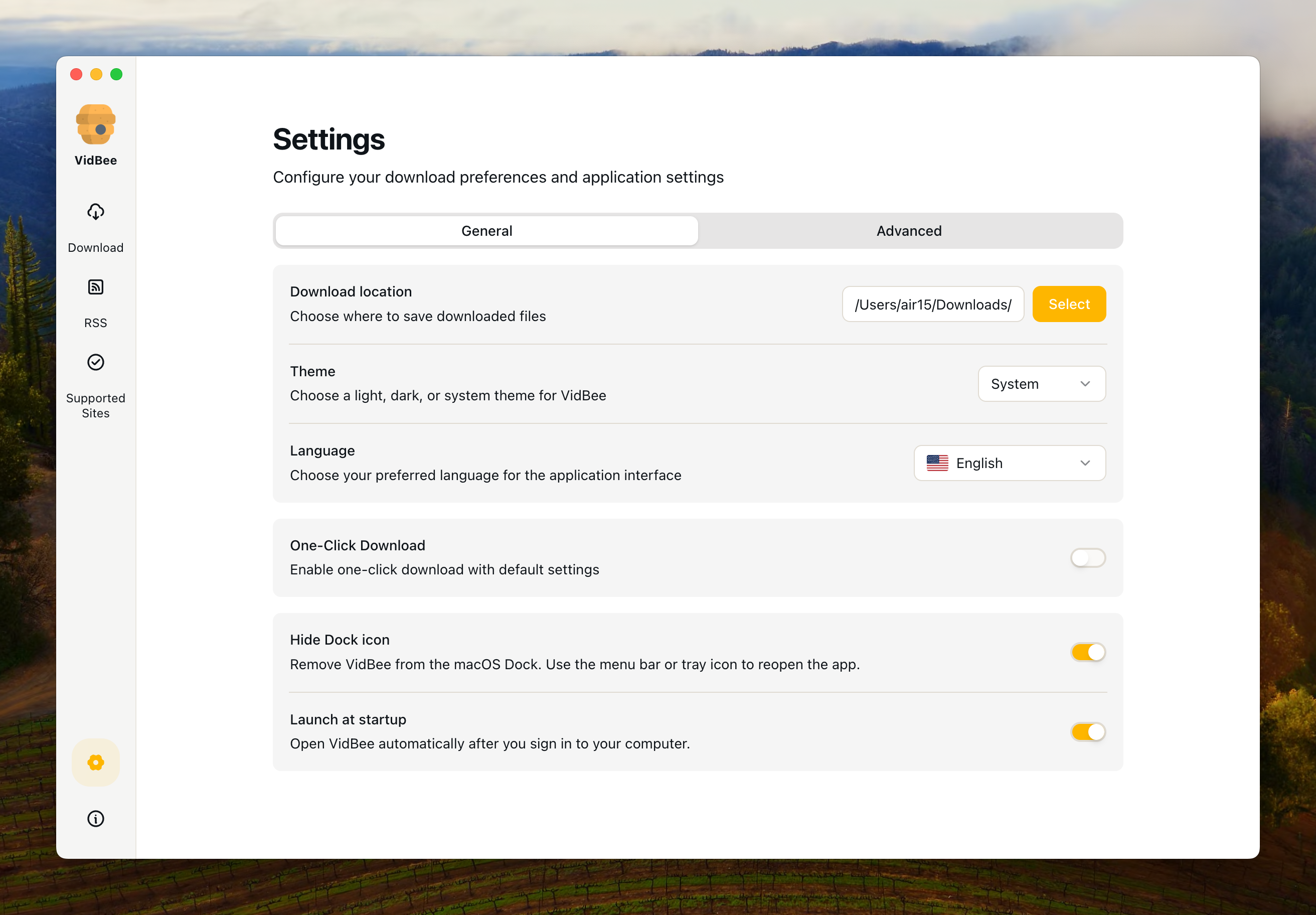
VidBee Interface Preview

Downie

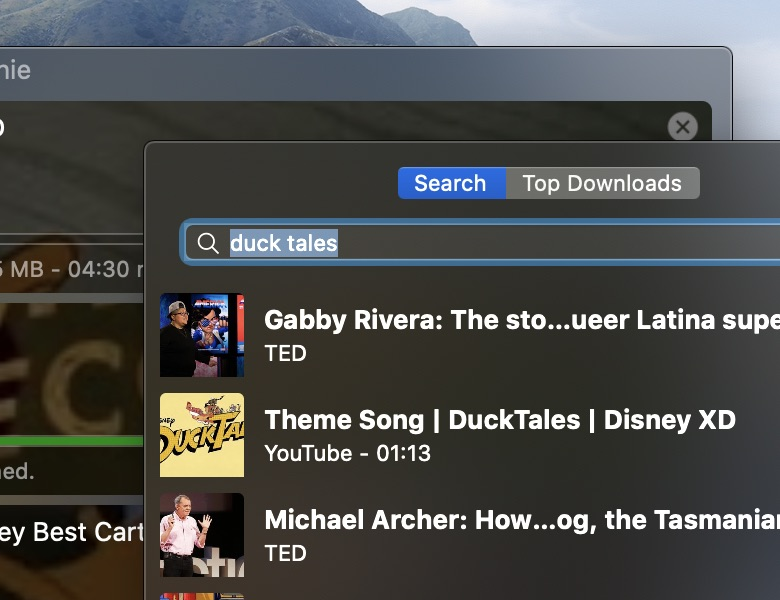
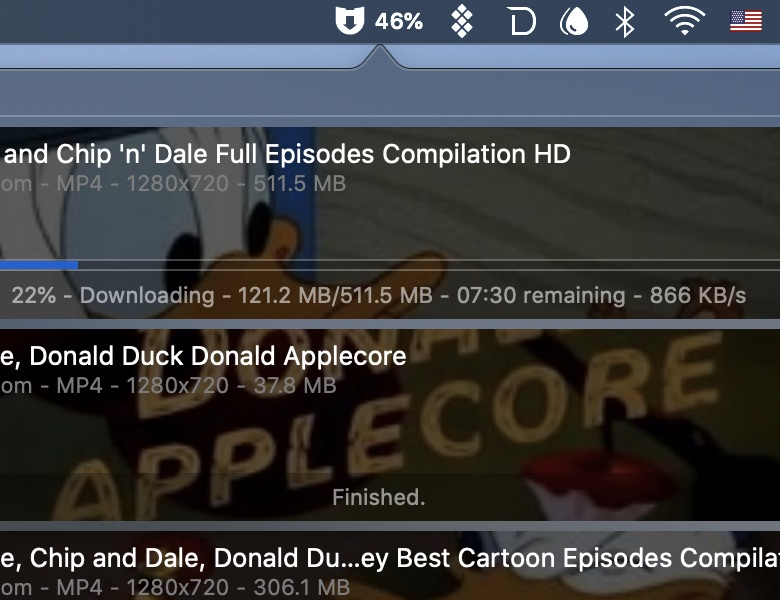
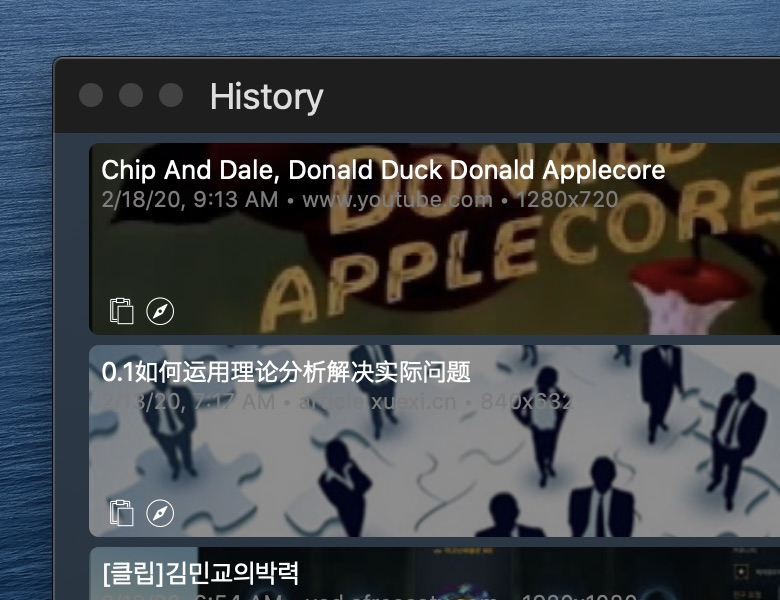
Downie Interface Preview

Why choose VidBee over Downie?

VidBee Downie
Installation & Distribution
Windows Support
macOS Support
Linux Support
Package Size Larger package size (due to pre-bundled yt-dlp + ffmpeg) Moderate package size, optimized for macOS
Platform & Site Support
Supported Sites & Range Broad multi-site downloader coverage through its downloader engine 1000+ video/audio platforms including YouTube, TikTok, Instagram, Twitter, Facebook, etc.
Core Features
Single Video Download
Playlist Download
Channel Download
Download Queue Management & History Modern queue management with download history tracking Official page emphasizes Mac one-click downloading; test queue and history needs directly
Format & Quality Selection Built-in yt-dlp + ffmpeg, supports advanced options and multiple formats Format/quality selection with built-in conversion, MP4 output
Automatically Embed Subtitles
Automatically Embed Audio Tracks in Alternative Languages
Automatically Inject Media Tags
Drag & Drop URLs
Auto-start on Boot Not presented as a core automation workflow on the official product page checked
Background Auto-download Not presented as a core RSS/background automation workflow on the official product page checked
One-click Download Preset-based download workflow for repeat queues Single-click saving is a core Downie product message
RSS Subscription & Auto-download
Automatic RSS Monitoring Automatically monitors RSS feeds and detects new content
Automatic Download from RSS Automatically downloads new videos when detected in RSS feeds
RSS Subscription Management Manage multiple RSS subscriptions, set download preferences per subscription
Background RSS Processing RSS monitoring and downloading works in background, even when app is minimized
Interface & User Experience
Interface Design Modern UI built with Electron + React + Tailwind, intuitive desktop client experience Native macOS interface, beautiful design, smooth interaction
Multi-language Interface Official product page says Downie is localized into multiple languages
License & Community
Open Source / License Open Source (MIT License) Closed Source Commercial Software
Community & Updates Open source community updates, transparent code on GitHub Official developer updates (1-2 times per week), closed source
Pricing Free Paid (one-time purchase or Setapp subscription)

Sources checked

Official sources behind this comparison

Last reviewed: June 16, 2026

This comparison uses VidBee official materials plus the current Downie official product page. It focuses on platform support, source visibility, pricing model, queue depth, RSS workflow, and day-to-day downloader fit. It does not claim that either app is faster, safer, or more reliable without controlled test data.

Understanding the Key Differences

Platform Coverage: Universal Cross-Platform vs. macOS Exclusive

VidBee supports broad video and audio platform coverage across Windows, macOS, and Linux, including YouTube, TikTok, Instagram, Twitter, Facebook, Bilibili, and many more sources supported by its downloader engine. Downie is a Mac-first product with broad site support of its own. If you need the same tool across different operating systems, VidBee is the practical fit to test; if you only use macOS and prefer a native macOS application, Downie offers a polished experience.

RSS Subscription & Auto-download

VidBee's RSS subscription feature gives repeat downloads a dedicated workflow. With RSS support, you can subscribe to a feed and let VidBee monitor it in the background, then queue new content according to your preferences. This helps users who want to keep up with channels, create permitted backups, or build a personal media library without checking manually every time. Downie remains a strong Mac downloader, but RSS automation is where VidBee's queue-focused workflow becomes more relevant.

RSS Subscription Management

VidBee allows you to manage multiple RSS subscriptions simultaneously. Each subscription can have its own download settings, including preferred quality, format, and storage location. You can pause, resume, or remove subscriptions at any time. The RSS monitoring works in the background when configured. Downie's official product page checked for this audit emphasizes Mac one-click downloading, broad site support, browser integration, and postprocessing rather than an RSS subscription workflow.

Download Queue Management & History

VidBee features a modern download queue with visual progress, pause and resume controls, batch handling, and download history. Downie focuses on a polished Mac download flow. If you frequently manage multiple videos, playlists, or repeat downloads, VidBee's queue and history features give that work a more explicit place in the interface.

Advanced Features & Metadata

Downie excels in advanced features such as automatic subtitle embedding, automatic audio track embedding in alternative languages, and automatic media tag injection. VidBee now supports these metadata features as well, so you can get polished outputs on any platform without extra tools. If you prefer a native macOS-only experience and a paid, polished workflow, Downie still stands out; if you want the same metadata features with cross-platform support and open-source transparency, VidBee is a strong choice.

Interface & Usability

VidBee is built with modern web technologies (Electron + React + Tailwind), providing a contemporary, intuitive interface that focuses on desktop client experience across all platforms. Downie offers a beautiful native macOS interface with smooth interactions and polished design, but is limited to macOS only. VidBee also supports multi-language interfaces, making it accessible to users worldwide. If you prefer a modern, streamlined interface with cross-platform consistency and internationalization, VidBee offers a more versatile user experience. If you value native macOS aesthetics and only use macOS, Downie provides an excellent native experience.

Open Source vs. Closed Source

VidBee and Downie differ fundamentally in their licensing models: VidBee uses the MIT open-source license and is free to run locally; Downie is commercial Mac software. Open source means you can inspect the code, follow releases, and participate in community contributions. If code transparency and cross-platform ownership matter, VidBee is the open-source option to evaluate. If you only need macOS and prefer a paid native app, Downie remains a valid option.

Automation & Background Processing

VidBee offers automation features including auto-start on boot, background auto-download, and RSS-based monitoring. These features let VidBee continue queue work in the background when you configure permitted sources and folders. Downie is oriented around a polished manual Mac workflow. If you need repeatable background processing, VidBee gives those controls clearer first-class treatment.

Pricing & Value Proposition

VidBee is free, open source, and available across Windows, macOS, and Linux. Downie is paid Mac software and may also be available through app subscription bundles. If budget, cross-platform support, and source visibility matter, VidBee is the no-cost option to test first. If you are comfortable paying for a native macOS experience and only use Mac, Downie is also worth considering.

Use Case Recommendations

Choose VidBee if you need a downloader that works across Windows, macOS, and Linux, want RSS auto-download capabilities, prefer visible queue management and download history, need automation features like auto-start and background processing, and want an open-source free project. Choose Downie if you exclusively use macOS, prefer native Mac aesthetics, and want a polished commercial product.
Common Downie comparison scenarios

You only download on a Mac

Downie may remain a good fit

If you like Downie's native app behavior and do not need open source, RSS, or cross-platform parity, a Mac-only paid tool can still be appropriate.

You use more than one operating system

Test VidBee first

VidBee lets the same queue, folder, subtitle, and format habits carry across Windows, macOS, and Linux.

You want repeat downloads or RSS

VidBee is the more relevant test

RSS subscriptions, background processing, queue history, and retries are the deciding workflows when downloads repeat over time.

Limits and caveats

VidBee caveats

  • VidBee may not feel as native to macOS as a dedicated Mac app.
  • VidBee's bundled tooling can make the installer larger than a narrower Mac-first product.
  • VidBee still depends on lawful access to the source content and upstream extractor support.

Downie caveats

  • Downie can be the more appropriate choice when native macOS polish is your top priority.
  • Downie is Mac-focused and commercial, so it does not solve Windows or Linux standardization.
  • Users who need RSS, persistent queue history, or open-source inspection should test those needs directly before staying with a Mac-only workflow.

Pre-switch test

Test before replacing Downie

Run the same public, permitted examples in both apps before changing your daily downloader workflow.

  1. Check 1 Install VidBee and Downie from official sources.
  2. Check 2 Download the same public video on macOS and compare output folders, quality, and subtitles.
  3. Check 3 Try one playlist or channel-style source if you use batch downloads.
  4. Check 4 Test VidBee on Windows or Linux if cross-platform parity is part of the decision.
  5. Check 5 Review licensing, pricing, and source visibility before standardizing on either workflow.
  6. Check 6 Use only content you are allowed to access and download.

How to evaluate switching from Downie

1

Map your Mac-only work

List the Downie workflows you rely on: browser capture, playlist downloads, subtitle settings, audio extraction, and save folders. Keep the list practical so you can test the same work in VidBee.

2

Test the same URLs on VidBee

Install VidBee on macOS first, then paste representative URLs and compare folders, formats, subtitles, queue behavior, and history.

3

Decide whether cross-platform matters

If you also use Windows or Linux, test the same VidBee workflow there. That is the main reason to switch from a Mac-only downloader instead of keeping Downie.

Resources

Downie comparison FAQ

Is VidBee a free Downie alternative?

Yes. VidBee is free and open source under the MIT License. Downie is commercial Mac software, so VidBee is the no-cost option to test when you want a transparent downloader workflow.

Does VidBee work on Windows and Linux while Downie is Mac-focused?

VidBee supports Windows, macOS, and Linux desktop workflows. Downie is positioned as a macOS app, so VidBee is the practical fit to test when you need one downloader across multiple operating systems.

Does VidBee include yt-dlp and FFmpeg?

Yes. VidBee is built around bundled yt-dlp and FFmpeg tooling for common download, merge, subtitle, and audio workflows.

Should I switch from Downie if I only use macOS?

Not automatically. If you like Downie's native Mac workflow and do not need open source, RSS, or cross-platform support, keeping Downie can make sense. Test VidBee if queue history, automation, and source visibility matter more.

Can VidBee replace Downie for every supported site?

No comparison page should promise that. Test the sources you personally use, follow platform rules, and keep whichever tool handles your permitted workflow most consistently.

It's time to switch to VidBee

Completely free video downloader. No registration or account required.

Completely free. No registration or account required.