VidBee vs. YoutubeDownloader

Compare the key features of VidBee and YoutubeDownloader.

Completely free. No registration or account required.

Quick verdict

YoutubeDownloader is a focused open-source app for YouTube-centric downloads. VidBee is a broader desktop downloader for users who want YouTube plus other supported sites, persistent queues, RSS subscriptions, history, subtitles, and bundled yt-dlp and FFmpeg tooling. Choose YoutubeDownloader if YouTube-specific workflow depth is your main requirement. Test VidBee if you want one open-source desktop workflow for more sources and repeat download routines.

Which one should you choose?

Choose VidBee if you want

  • One downloader workflow for YouTube plus many other supported sources.
  • RSS subscriptions, background processing, queue history, and retries.
  • Bundled yt-dlp and FFmpeg for predictable first-run setup.
  • A free MIT-licensed desktop app with source code and releases on GitHub.

Choose YoutubeDownloader if you want

  • A YouTube-focused application with account-oriented YouTube workflows.
  • Built-in YouTube search or channel features from the YoutubeDownloader project.
  • A narrower app when your downloads are mostly YouTube-only.
  • A workflow you already use and do not need to replace.

How to evaluate VidBee vs YoutubeDownloader

YouTube depth versus multi-site workflow

VidBee

VidBee is the broader choice when YouTube is only one part of your workflow and you also need other supported video or audio sources.

YoutubeDownloader

YoutubeDownloader should be judged as a YouTube-focused app, especially if its search, channel, playlist, or account-oriented workflow is why you use it.

What to test

Separate your test list into YouTube-only jobs and non-YouTube jobs. Run both groups before deciding which app fits your real source mix.

Queue, RSS, and repeated sources

VidBee

VidBee makes repeated downloads explicit through RSS subscriptions, background processing, queue history, and retries.

YoutubeDownloader

YoutubeDownloader can be enough when your work stays inside YouTube and you do not need an RSS-first archive workflow.

What to test

Try one repeated channel or feed-style workflow, then compare how each app handles queue state, history, and future updates.

Private or restricted YouTube access

VidBee

VidBee uses a cookie-based approach for supported private-access workflows, so the test should focus on whether that model fits your security expectations.

YoutubeDownloader

YoutubeDownloader includes account-oriented YouTube behavior, which some users may prefer for YouTube-only private content workflows.

What to test

Use a permitted private or age-gated test case only if it is part of your workflow, and compare how credentials or cookies are handled.

Dependency and output control

VidBee

VidBee bundles yt-dlp and FFmpeg, then uses them for common merge, subtitle, audio, and format tasks.

YoutubeDownloader

YoutubeDownloader has its own YouTube-focused output workflow and package options, so the practical difference is visible in setup and final files.

What to test

Download one high-resolution video, one subtitle example, and one audio-only file. Compare setup friction, final file names, metadata, and folder rules.

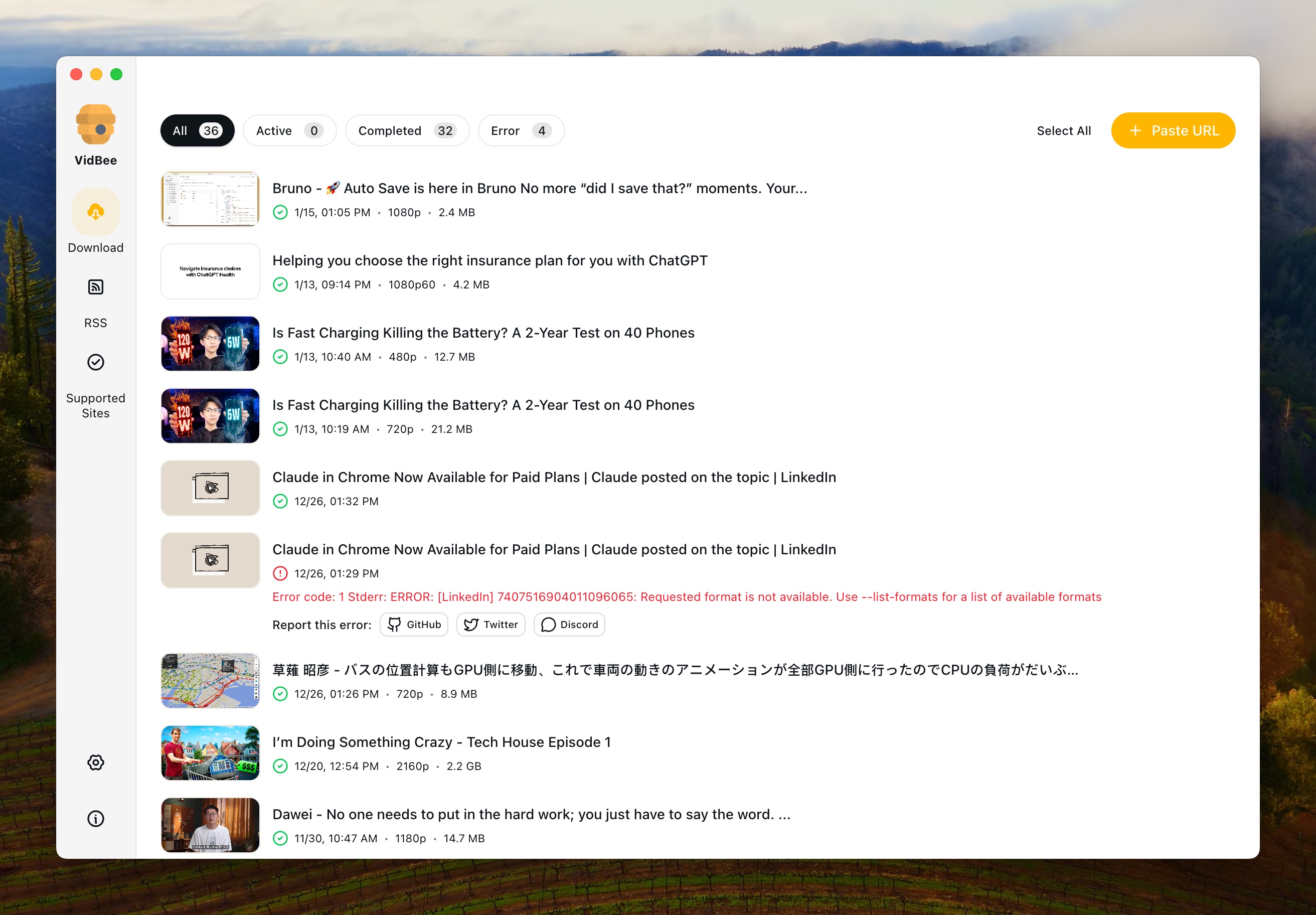
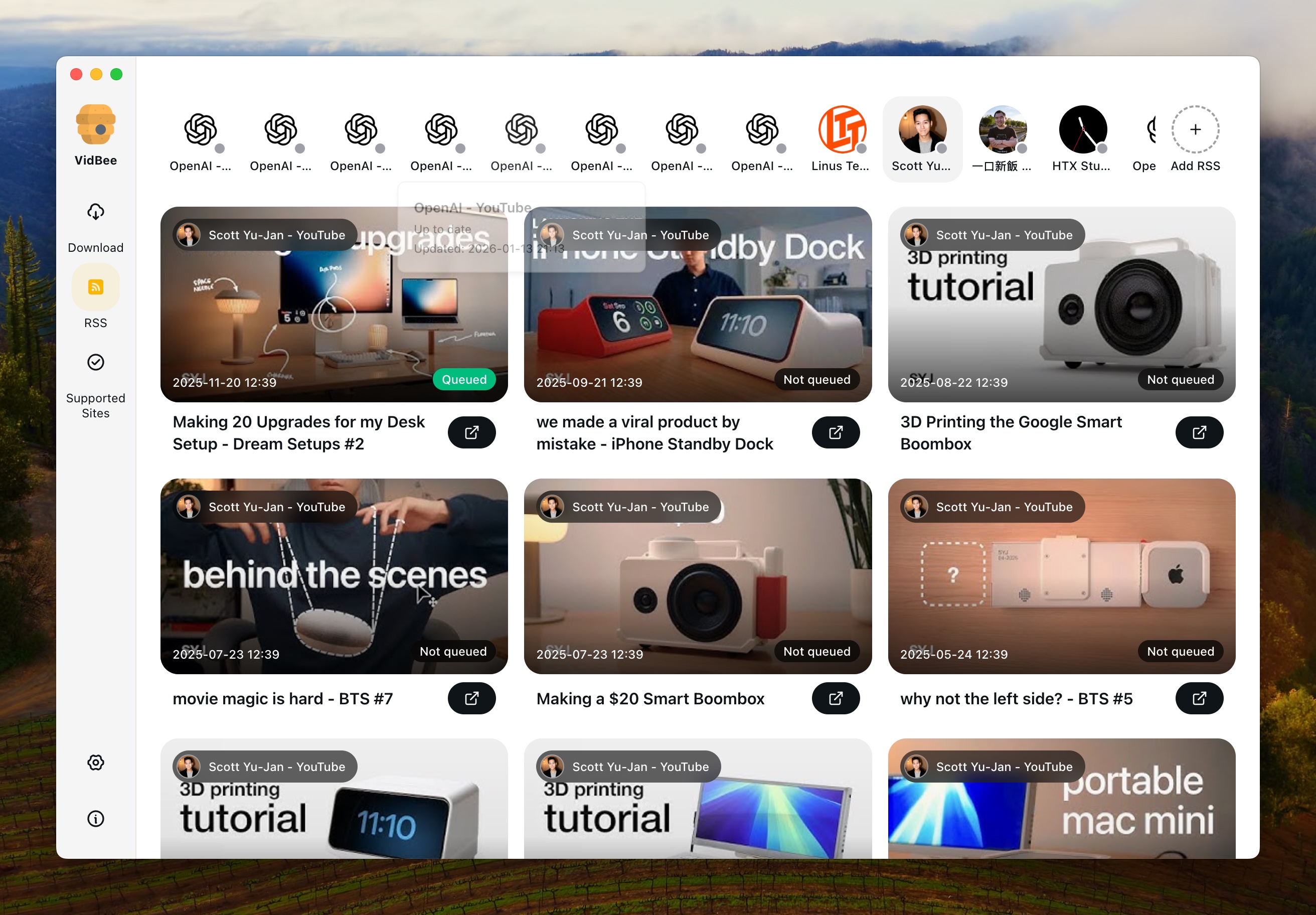
Interface Preview

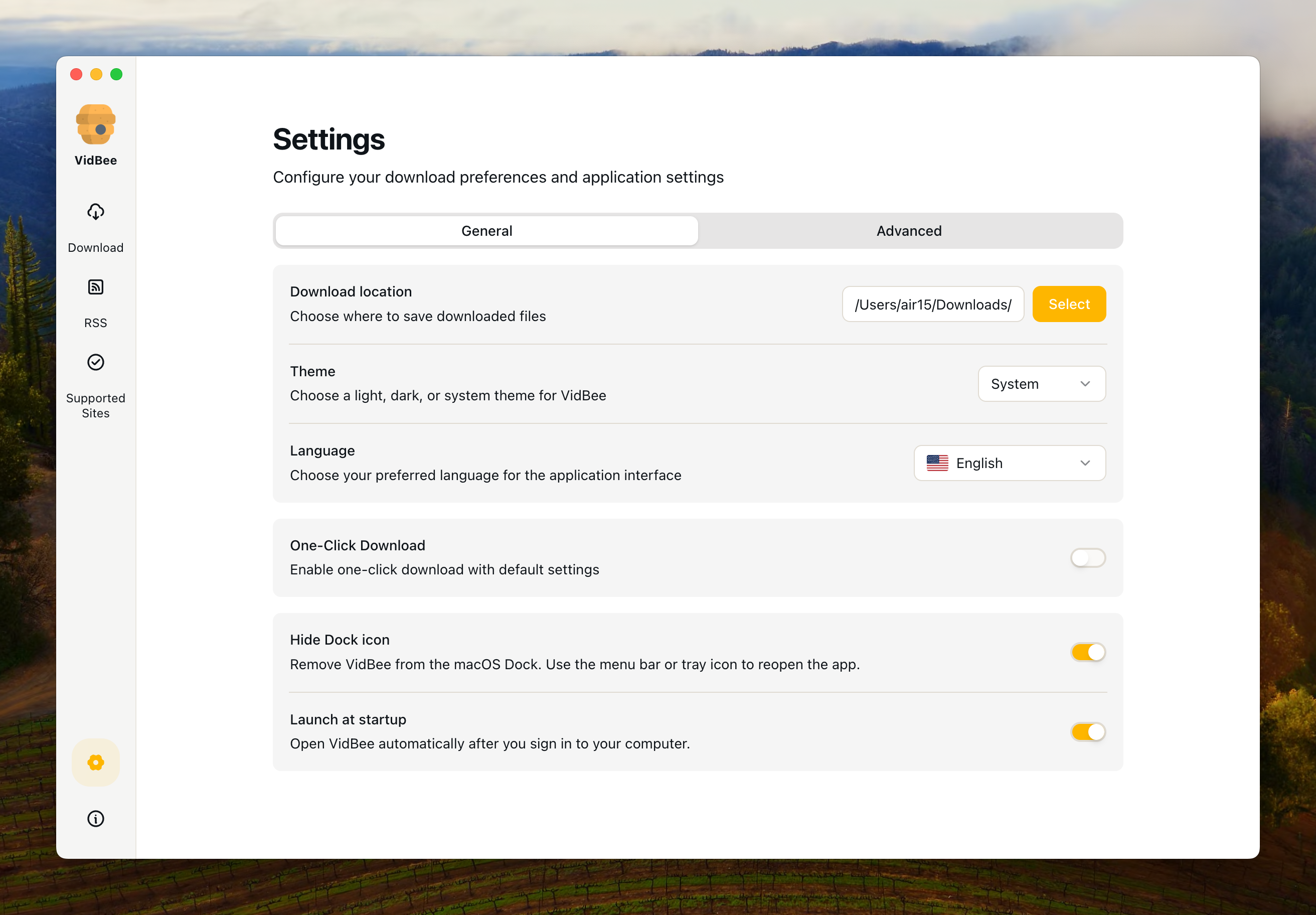
VidBee

VidBee Interface Preview

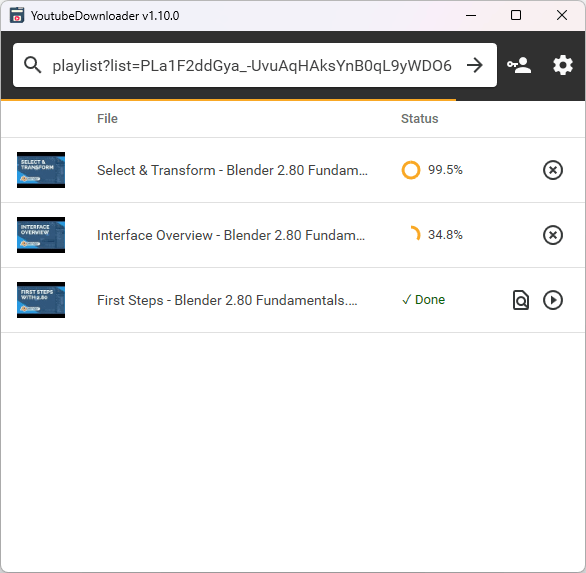
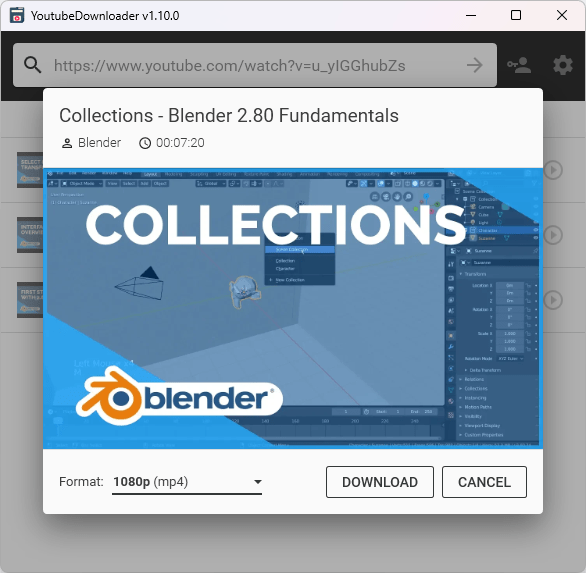
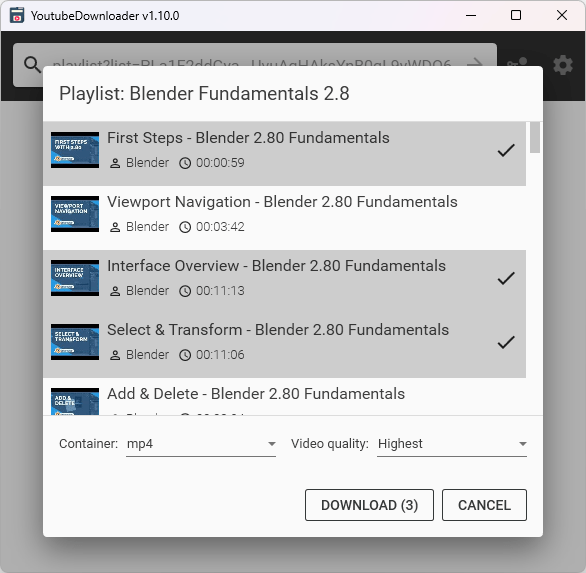
YoutubeDownloader

YoutubeDownloader Interface Preview

Why choose VidBee over YoutubeDownloader?

VidBee YoutubeDownloader
Platform & Site Support
Supported Sites & Range Broad multi-site downloader coverage through its downloader engine Primarily YouTube only (videos, playlists, channels, keyword search)
Core Features
Single Video Download
Playlist Download
Channel Download
Keyword Search
Download Queue Management & History Modern queue management with download history tracking List-based YouTube workflow; test persistent history and retry needs directly
Format & Quality Selection Built-in yt-dlp + ffmpeg, supports advanced options and multiple formats Format/quality selection
Automatically Embed Subtitles
Automatically Embed Audio Tracks in Alternative Languages
Automatically Inject Media Tags
Private Content Access (YouTube) Supported via cookie import Built-in account login
Auto-start on Boot Not presented as a core startup automation workflow in the official README checked
Background Auto-download Not presented as a core RSS/background automation workflow in the official README checked
One-click Download Preset-based workflow for repeat queues Format choice is part of the YouTube-focused workflow
RSS Subscription & Auto-download
Automatic RSS Monitoring Automatically monitors RSS feeds and detects new content
Automatic Download from RSS Automatically downloads new videos when detected in RSS feeds
RSS Subscription Management Manage multiple RSS subscriptions, set download preferences per subscription
Background RSS Processing RSS monitoring and downloading works in background, even when app is minimized
Interface & User Experience
Interface Design Modern UI built with Electron + React + Tailwind, intuitive desktop client experience Cross-platform GUI (Windows/macOS/Linux), feature-rich but interface may be more traditional
Multi-language Interface Not emphasized in the official README checked
Installation & Distribution
Windows Support
macOS Support
Linux Support
Package Size Larger package size (due to pre-bundled yt-dlp + ffmpeg) Smaller package size, optional Bare version available
License & Community
Open Source / License Open Source (MIT License) Open Source (MIT License)
Community & Updates Open source community updates, transparent code on GitHub Open source project maintained by Tyrrrz, active development

Sources checked

Official sources behind this comparison

Last reviewed: June 16, 2026

This comparison uses VidBee official materials plus the current YoutubeDownloader official GitHub repository. It focuses on documented source support, YouTube-specific workflow, queue depth, RSS automation, setup model, and licensing. It does not claim that either app is faster, safer, or more reliable without controlled test data.

Understanding the Key Differences

Platform Coverage: Universal vs. Specialized

VidBee supports broad video and audio platform coverage, including YouTube, TikTok, Instagram, Twitter, Facebook, Bilibili, and many other sources supported by its downloader engine. YoutubeDownloader, on the other hand, focuses on YouTube workflows such as videos, playlists, channels, and search. If you need to download from multiple platforms beyond YouTube, VidBee is the practical fit to test. If your primary need is YouTube-specific depth, YoutubeDownloader is still relevant.

RSS Subscription & Auto-download

VidBee's RSS subscription feature gives repeat downloads a dedicated automation path. With RSS support, you can subscribe to feeds, let VidBee monitor them in the background, and queue new content according to your preferences. This is useful when you want permitted channel backups or a personal media library without checking manually every time. YoutubeDownloader is more YouTube-specific, while VidBee makes RSS a central desktop workflow.

RSS Subscription Management

VidBee allows you to manage multiple RSS subscriptions simultaneously. Each subscription can have its own download settings, including preferred quality, format, and storage location. You can pause, resume, or remove subscriptions at any time. The RSS monitoring works in the background when configured. YoutubeDownloader's official README checked for this audit focuses on YouTube videos, playlists, channels, keyword search, format choice, subtitles, metadata, and YouTube account login rather than an RSS subscription workflow.

Download Queue Management & History

VidBee features a modern download queue with visual progress, pause and resume controls, batch handling, and download history. YoutubeDownloader focuses on YouTube-specific download tasks. If you frequently download multiple videos, playlists, or repeated sources and need history-aware queue control, VidBee gives that work a clearer desktop structure.

YouTube-Specific Features

YoutubeDownloader offers built-in YouTube account login for private content, while VidBee supports cookie import for sources you are allowed to access. Both YoutubeDownloader and VidBee support subtitle, audio track, and media tag workflows, so metadata tests should use the exact examples you care about. If you need built-in account login for private videos or a YouTube-only workflow, YoutubeDownloader may be more suitable; if you want broader platform support with cookie-based access, test VidBee.

Interface & Usability

VidBee is built with Electron, React, and Tailwind, and presents downloads around queue, history, RSS, and folder controls. YoutubeDownloader offers a cross-platform GUI focused on YouTube videos, playlists, channels, search, account login, and metadata workflows. Compare the interfaces with your own repeated tasks instead of deciding from screenshots alone.

Package Size & Installation

VidBee includes bundled downloader and FFmpeg tooling for common desktop workflows. YoutubeDownloader's official repository documents a YouTube-focused desktop app with its own release and install flow. Install both from official sources and check whether dependency setup, package size, and update behavior match your environment.

Use Case Recommendations

Choose VidBee if you need a broader desktop downloader, want RSS auto-download capabilities, prefer a queue-based UI, and want cookie import for sources you are allowed to access. Choose YoutubeDownloader if you primarily download YouTube content, want built-in account login, need specialized YouTube functionality, and prefer a tool focused on YouTube.
Common YoutubeDownloader comparison scenarios

Your workflow is YouTube-only

YoutubeDownloader may be enough

If built-in YouTube search, channels, playlists, or account-oriented features are the center of your routine, a narrower YouTube app can still be appropriate.

You download from several platforms

Test VidBee first

VidBee's value increases when the same queue, format, subtitle, and folder workflow needs to cover more than YouTube.

You want scheduled or repeated archives

VidBee is the better workflow to evaluate

RSS subscriptions, background processing, history, and retries are more relevant than YouTube-only features when the same sources repeat.

Limits and caveats

VidBee caveats

  • VidBee is not a dedicated YouTube-only client and does not replace every YouTube-specific interface convention.
  • Cookie-based private access requires users to think carefully about browser data and security expectations.
  • VidBee should only be used for content you are allowed to access and download.

YoutubeDownloader caveats

  • YoutubeDownloader can be the more appropriate choice when YouTube-specific depth is the only priority.
  • A YouTube-focused app may be less relevant when your sources span many sites.
  • Users who need RSS, cross-source queues, and repeat archive workflows should test those workflows directly.

Pre-switch test

Test before replacing YoutubeDownloader

Run the same public, permitted examples in both apps before changing your daily downloader workflow.

  1. Check 1 Install VidBee and YoutubeDownloader from official sources.
  2. Check 2 Run one public YouTube video, one playlist, and one channel-style example.
  3. Check 3 Run at least one non-YouTube URL in VidBee if multi-site support matters.
  4. Check 4 Test subtitles, audio-only export, private-access handling, and final folders.
  5. Check 5 Compare whether RSS and queue history reduce repeat work in VidBee.
  6. Check 6 Use only content you are allowed to access and download.

How to evaluate switching from YoutubeDownloader

1

Separate YouTube-only needs from broader needs

List which jobs are truly YouTube-only and which jobs involve other platforms, playlists, subtitles, repeated sources, or long queues.

2

Run matched YouTube tests

Paste the same videos, playlists, and channel examples into VidBee and compare format selection, subtitles, history, and queue behavior.

3

Add RSS only where it helps

If you repeatedly archive channels or feeds, configure VidBee RSS subscriptions. If you mostly run one-off YouTube searches, YoutubeDownloader may still cover that narrower workflow.

Resources

YoutubeDownloader comparison FAQ

Is VidBee a free YoutubeDownloader alternative?

Yes. VidBee is free and open source under the MIT License. YoutubeDownloader is also an open-source project, so the decision is more about workflow breadth than price alone.

Is YoutubeDownloader only for YouTube?

YoutubeDownloader is positioned around YouTube videos, playlists, channels, and related YouTube workflows. VidBee is broader and is designed for YouTube plus many other supported sources.

Does VidBee support playlists and subtitles?

Yes. VidBee supports playlist workflows and subtitle export or embedding where the source provides subtitles and your use is permitted.

Does VidBee include yt-dlp and FFmpeg?

Yes. VidBee bundles yt-dlp and FFmpeg tooling so common download, merge, audio, and subtitle workflows do not require a separate dependency setup.

Should I switch if I only download YouTube videos?

Not necessarily. If YoutubeDownloader already handles your YouTube-only workflow, keep using it. Test VidBee when you want cross-platform queues, RSS, history, or support for more than YouTube.

It's time to switch to VidBee

Completely free video downloader. No registration or account required.

Completely free. No registration or account required.