VidBee vs. ytDownloader

Compare the key features of VidBee and ytDownloader.

Completely free. No registration or account required.

Quick verdict

VidBee and ytDownloader are both open-source desktop downloaders built around yt-dlp style workflows. ytDownloader has a mature package ecosystem and extra utilities such as compression. VidBee focuses on bundled dependencies, a queue-first desktop workflow, RSS subscriptions, download history, retries, and an MIT-licensed codebase. Use this page to compare setup, licensing, automation, and day-to-day workflow depth rather than treating either app as a universal replacement.

Which one should you choose?

Choose VidBee if you want

  • Bundled yt-dlp and FFmpeg in the desktop app workflow.
  • RSS subscriptions, queue history, retries, and background downloads.
  • A permissive MIT-licensed project.
  • A focused downloader interface rather than post-download utility features.

Choose ytDownloader if you want

  • Its package-manager ecosystem and long-running project history.
  • Built-in utility features such as video compression.
  • A GPL-licensed project you already use or contribute to.
  • More installation channels such as Flatpak, Snap, Chocolatey, Scoop, or WinGet.

How to evaluate VidBee vs ytDownloader

Bundled dependencies versus package ecosystem

VidBee

VidBee bundles yt-dlp and FFmpeg for a more complete first-run desktop workflow.

ytDownloader

ytDownloader has a broader package-manager ecosystem, which can be attractive if you prefer Flatpak, Snap, Chocolatey, Scoop, WinGet, or similar install paths.

What to test

Install both tools the way you would in production, then test whether yt-dlp and FFmpeg setup is automatic or still needs manual configuration.

Download queue versus extra utilities

VidBee

VidBee focuses on downloading, queue review, history, retries, background processing, and RSS subscriptions.

ytDownloader

ytDownloader includes extra utility surface such as compression, so it may remain useful when post-download processing is part of your routine.

What to test

Run a playlist and a batch queue in VidBee, then separately test whether ytDownloader's compression or utility features are still needed after download.

License implications

VidBee

VidBee uses the permissive MIT License, which is easier to evaluate for reuse, embedding, or organizational approval.

ytDownloader

ytDownloader's official repository lists GPL-3.0, which can be a good fit for open distribution but has different redistribution obligations.

What to test

If you only use the app personally, license may be low impact. If you redistribute, integrate, or package it, review the license terms directly.

RSS and repeated archive workflows

VidBee

VidBee makes RSS monitoring and repeated download queues a first-class workflow for ongoing personal archives.

ytDownloader

ytDownloader is more relevant when manual downloads, package availability, and utility features matter more than RSS.

What to test

Create one repeat-source test and compare whether VidBee's RSS, history, and retry flow remove manual checks you currently perform.

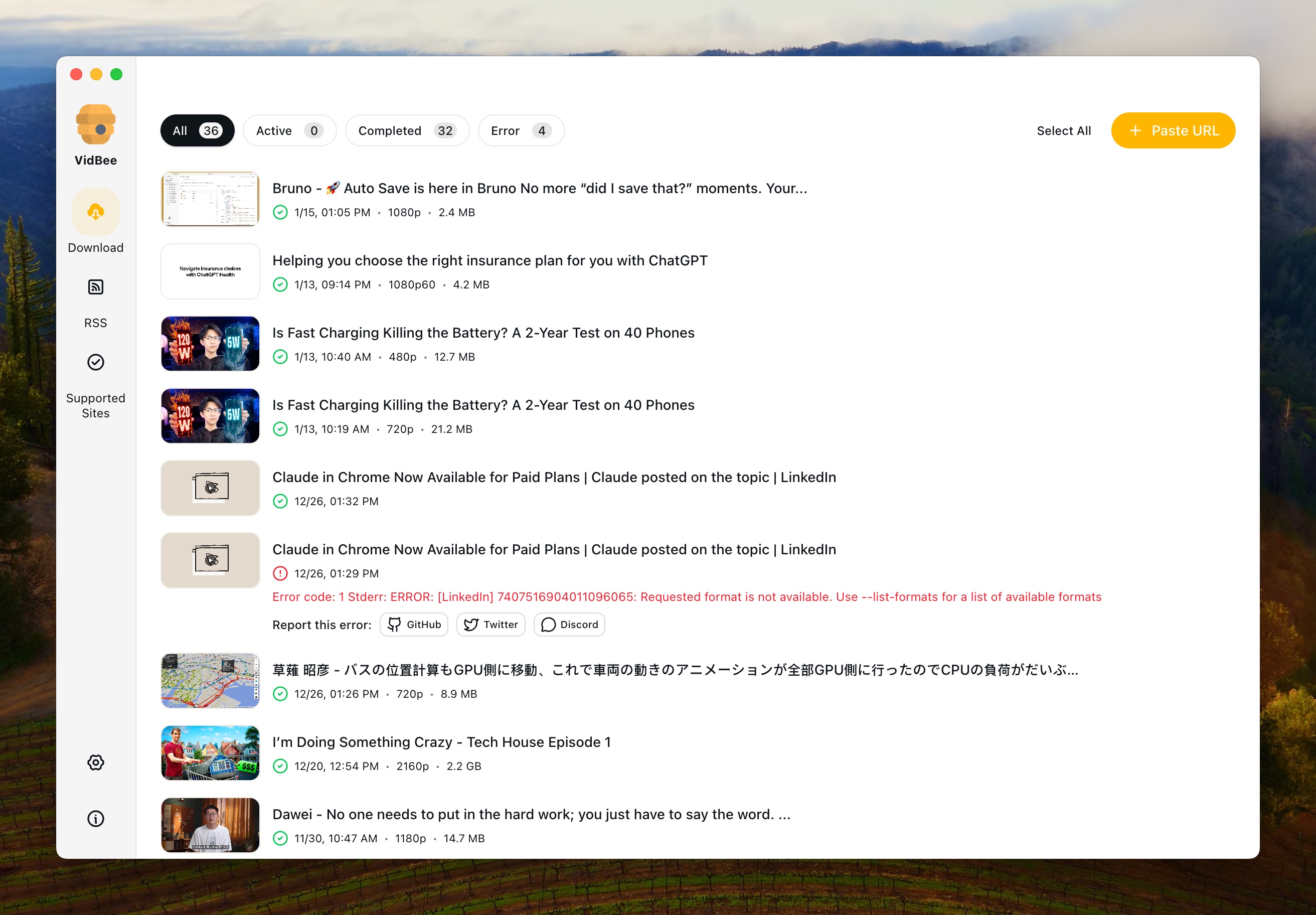
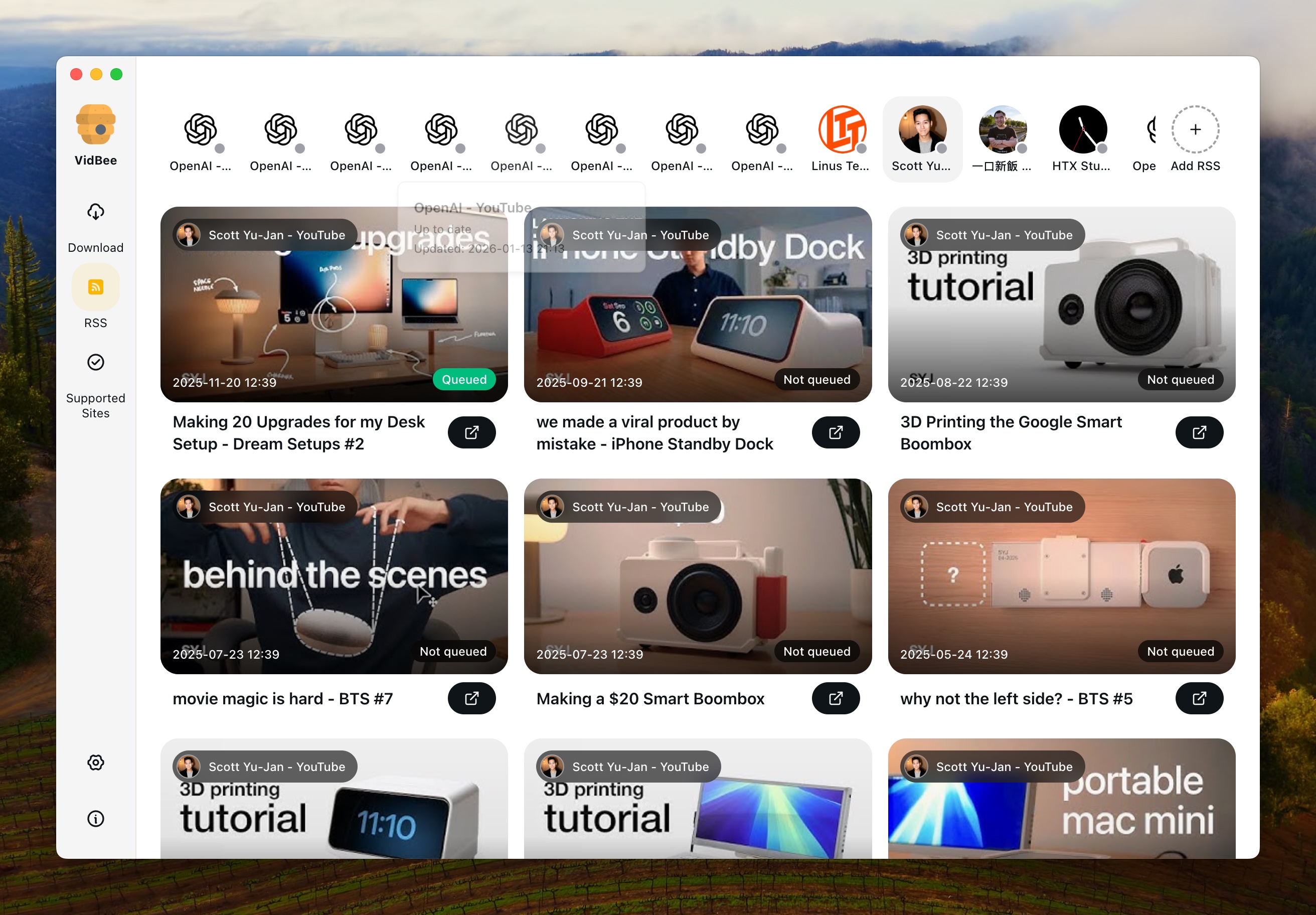
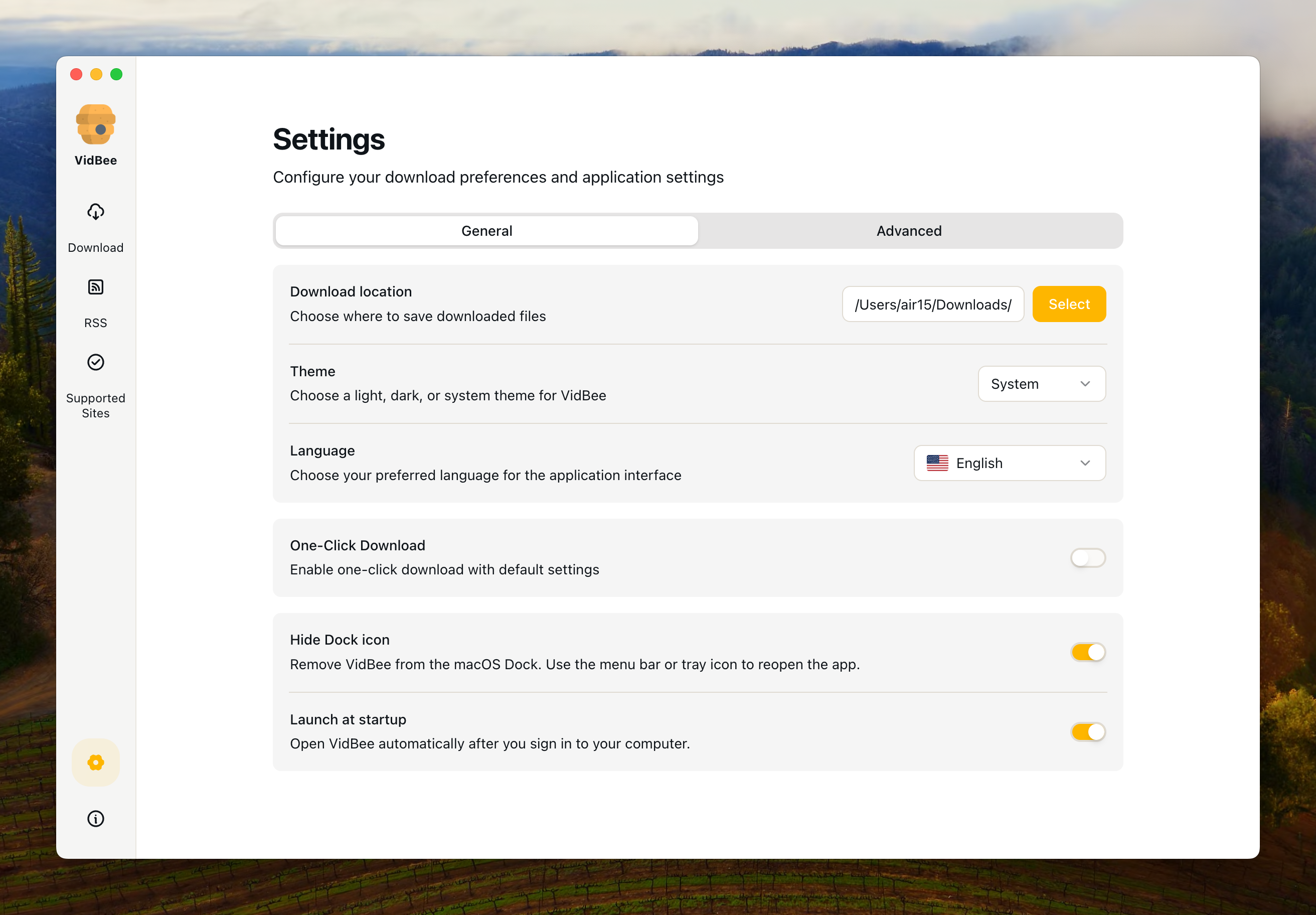
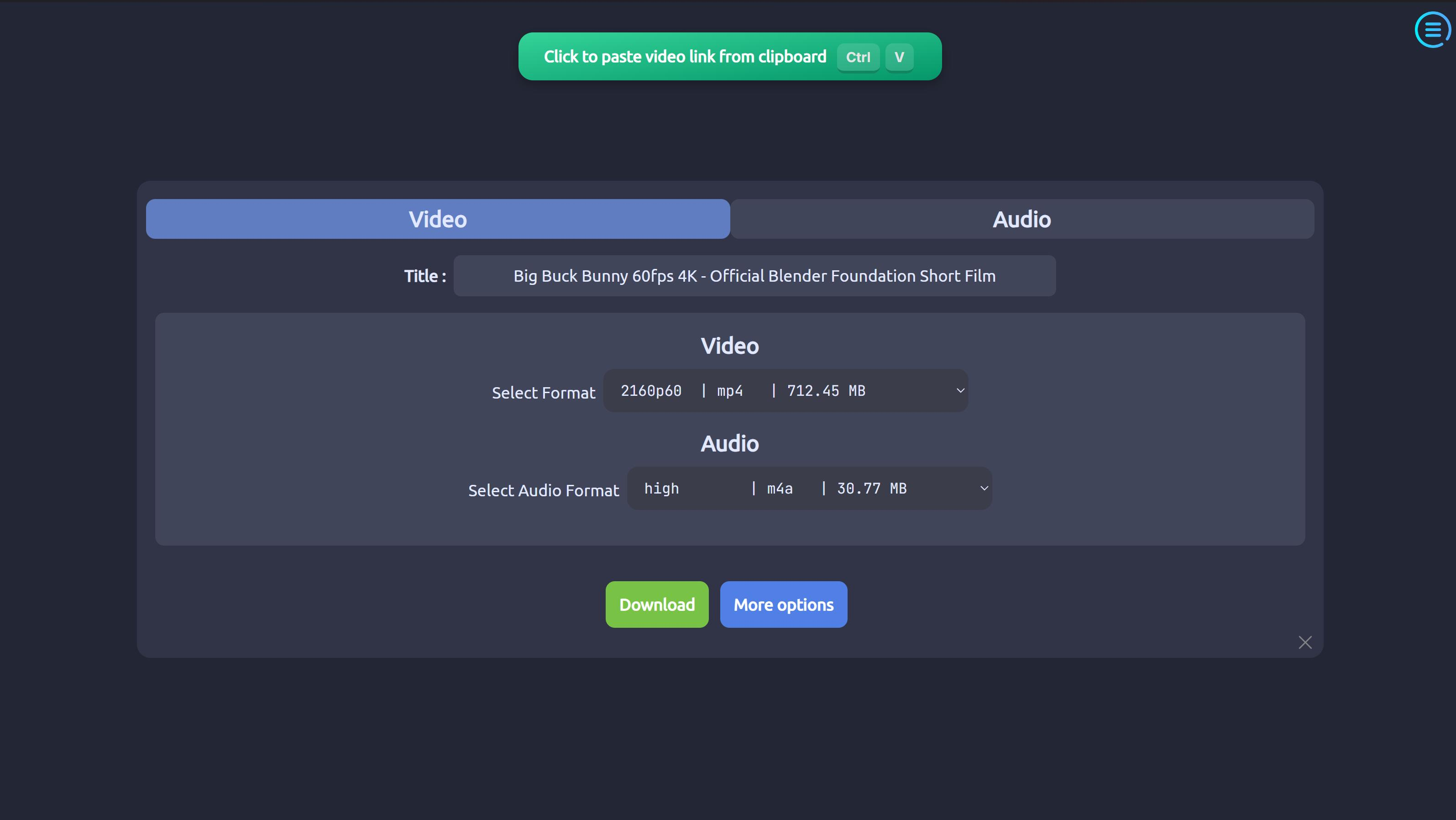
Interface Preview

VidBee

VidBee Interface Preview

ytDownloader

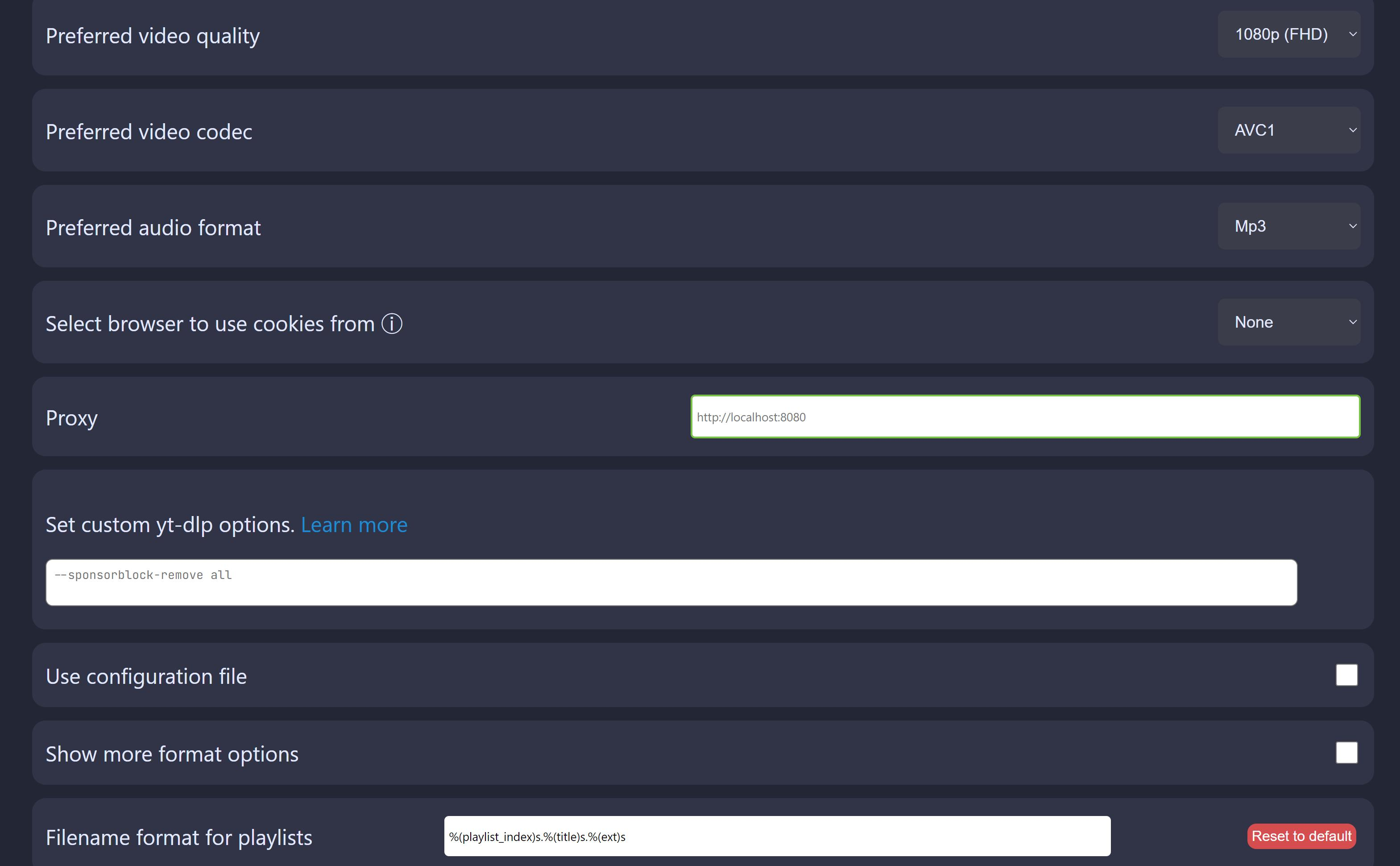
ytDownloader Interface Preview

Why choose VidBee over ytDownloader?

VidBee ytDownloader
Core Download Features
Supported Sites & Range Powered by yt-dlp-style downloader coverage across many supported video and audio sites Modern GUI video and audio downloader supporting hundreds of sites including YouTube, Facebook, Instagram, TikTok, Twitter, and more.
Cross-platform Support
Backend Engine Built-in yt-dlp + ffmpeg, pre-bundled for out-of-box use. Uses yt-dlp + ffmpeg under the hood; some platforms (e.g. macOS) require installing yt-dlp/ffmpeg separately.
Single Video Download
Playlist Download
Video & Audio (Separate) Supports multiple formats via yt-dlp/ffmpeg, video and audio extraction. Downloads videos and audios from supported sites.
Advanced Options Uses yt-dlp advanced options; focuses UI on common quality/format choices. Built-in advanced options such as range selection and subtitles.
Download Queue & History Modern queue management with visual progress, batch handling, and download history for easy re-download. Focuses on straightforward downloads; queue/history are more traditional and not as centrally emphasized in the UI.
Background Downloads Not presented as a core RSS/background automation workflow in the official README checked
Auto-start on Boot Not presented as a core startup automation workflow in the official README checked
RSS Subscription & Automation
RSS Monitoring Built-in RSS subscription support: automatically monitors feeds and detects new content.
Auto-download from RSS Automatically downloads new videos when RSS feeds update; "set and forget" personal archive.
RSS Subscription Management Manage multiple feeds with per-subscription rules (quality, format, folder, etc.).
Interface & User Experience
Interface Design Modern desktop client built with Electron + React + Tailwind; clean, minimal, queue-centric UI. Traditional Electron GUI with basic controls and panels; functional but UI design is fairly standard.
Themes / Appearance Light/modern styling; design emphasizes clarity over heavy theming. Multiple themes (light/dark, etc.) built in.
Multi-language Interface Multi-language site and app, with Chinese, English, Japanese, Korean, etc. Extensive localization via Crowdin; supports Arabic, English, Simplified Chinese, French, German, and many other languages.
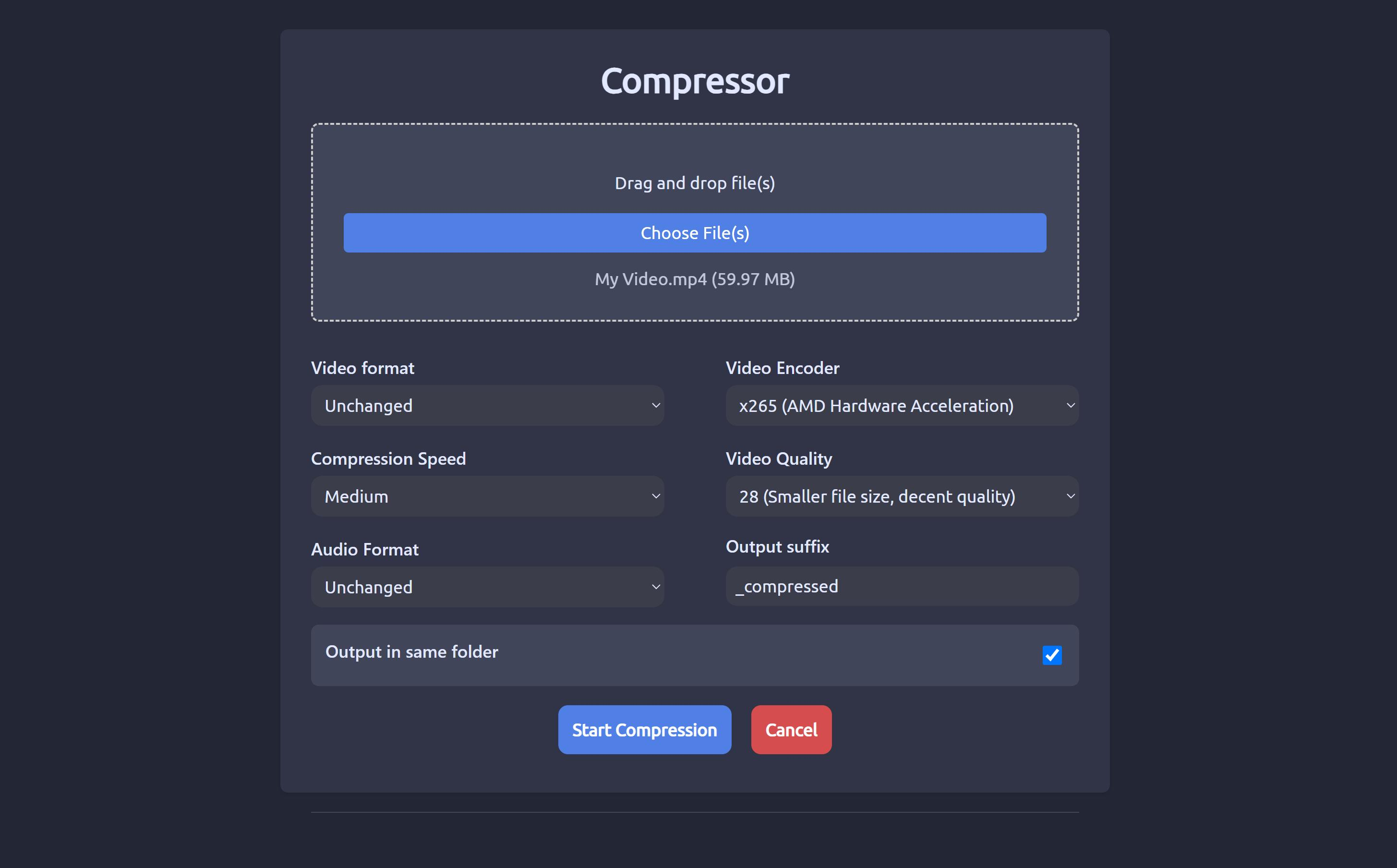
Extra Tools Focused on downloading, queueing, and automation (RSS) rather than post-processing. Includes a video compressor with hardware acceleration, making it easy to shrink files after download.
Installation & Distribution
Windows Installer builds with all core dependencies bundled; click-to-run. Multiple options: EXE/MSI, Chocolatey, Scoop, WinGet.
macOS Codesigned & bundled (with yt-dlp + ffmpeg) for a smoother, dependency-free experience. Requires extra steps: remove quarantine attributes and install yt-dlp via Homebrew; ffmpeg may be managed separately.
Linux AppImage/Deb/other packages (depending on releases), all with embedded backend tools. Rich Linux story: Flatpak, AppImage, Snap; Flatpak recommended for most users.
Bundle vs External Deps Larger package size because yt-dlp & ffmpeg are pre-bundled for "download and go" usage. Smaller core app; relies more on system-level yt-dlp/ffmpeg, so some users must configure dependencies manually.
License & Community
License Open source, MIT License (permissive; easy to integrate in other apps). Open source, GPL-3.0 (copyleft; derivatives must remain GPL-compatible).
Community & Activity Newer project but actively developed in the open with a focus on UX, RSS automation, and cross-platform packaging. Mature project with 6k+ stars, dozens of releases, and multiple contributors, available in many Linux and Windows repos.

Sources checked

Official sources behind this comparison

Last reviewed: June 16, 2026

This comparison uses VidBee official materials plus the current ytDownloader official GitHub repository. It focuses on setup model, packaging, licensing, RSS workflow, queue depth, and day-to-day downloader fit. It does not claim that either app is faster, safer, or more reliable without controlled test data.

Understanding the Key Differences

Platform Coverage: Both Are Multi-Site

Both tools are multi-site desktop downloaders. VidBee positions itself around broad downloader coverage plus queue, RSS, history, and bundled-tool workflow. ytDownloader likewise advertises support for hundreds of sites. If you mainly care about paste-and-download coverage, test the exact platforms you use in both apps.

Automation & RSS Workflow

The main workflow difference is RSS automation: VidBee ships with RSS subscription and background auto-download. You can subscribe to RSS feeds, let VidBee monitor them in the background, and queue new videos as they appear for permitted backups or a personal media library. ytDownloader focuses more on manual URL, playlist, package, and utility workflows. If you want a hands-off "subscribe once and review the queue" flow, test VidBee.

Queue Management vs Compression Power

VidBee highlights a queue-centric UI with download history: you see multiple tasks, can pause/resume, and re-download from history. ytDownloader focuses more on advanced download options and compression, including a video compressor with hardware acceleration and range selection/subtitle configuration. If your priority is automation and managing lots of downloads over time, VidBee gives that work a clearer queue model. If you frequently need to shrink files after download or fine-tune technical options inside one app, ytDownloader has extra knobs.

Interface, Themes, and Languages

VidBee is built with Electron, React, and Tailwind, and organizes the workflow around queue, history, RSS, and folder controls. ytDownloader uses Electron and offers its own GUI, themes, installation channels, and community translation workflow. Compare the interfaces with your normal queue, playlist, subtitle, and compression tasks.

Installation & Dependencies: All-in-One vs Package-Manager-Friendly

VidBee bundles downloader and FFmpeg tooling directly in the app workflow. ytDownloader has a broader package-manager ecosystem, including channels such as Flatpak, Snap, Chocolatey, Scoop, and WinGet. Install both through the route you would actually use and compare package size, dependency handling, and update behavior.

License: MIT vs GPL-3.0

VidBee uses the MIT License, a very permissive license that makes it easy to embed VidBee's code or ideas into other open or closed-source projects (as long as you keep the copyright & license notice). ytDownloader is under GPL-3.0, a copyleft license that requires derivative works to remain GPL-compatible and distribute source when they're shared. If you're evaluating these tools as a user, this mostly doesn't matter. If you're a developer planning to integrate or redistribute, the license difference is significant: MIT is easier to reuse in proprietary stacks; GPL-3.0 enforces openness.

Use Case Recommendations

Choose VidBee if you want a multi-site desktop downloader, care about RSS auto-download and repeat-source local archives, prefer a queue-centric, history-aware UI and bundled dependencies, and need a permissively licensed MIT project. Choose ytDownloader if you prefer a GUI with built-in video compression, are comfortable installing yt-dlp/ffmpeg yourself or via package managers, like having many installation options such as Flatpak, Snap, Chocolatey, Scoop, and WinGet, and are fine with GPL-3.0.

Common ytDownloader comparison scenarios

You install through package managers

ytDownloader may fit your environment

If standardized installation channels matter more than bundled dependencies, ytDownloader's ecosystem can be a practical advantage.

You want RSS and queue-first downloads

Test VidBee first

VidBee is more aligned with repeated archives, background downloading, queue history, and retry-oriented workflows.

You need post-download compression

Keep ytDownloader or pair tools

VidBee focuses on downloading and automation, so ytDownloader's compression utility may still be useful alongside VidBee.

Limits and caveats

VidBee caveats

  • VidBee does not aim to replace every package-manager channel or post-download utility in ytDownloader.
  • Bundled dependencies increase package size compared with setups that rely on system tools.
  • VidBee should only be used for content you are allowed to access and download.

ytDownloader caveats

  • ytDownloader can be the more appropriate choice when package availability or compression is the deciding factor.
  • Some dependency behavior can vary by operating system and install method, so macOS, Linux, and Windows tests should be separate.
  • Users choosing between MIT and GPL-3.0 should review license obligations directly instead of relying only on a comparison table.

Pre-switch test

Test before replacing ytDownloader

Run the same public, permitted examples in both apps before changing your daily downloader workflow.

  1. Check 1 Install VidBee and ytDownloader from official sources or the package manager you would actually use.
  2. Check 2 Run one single video, one playlist, and one audio-only export.
  3. Check 3 Test whether FFmpeg and yt-dlp work without extra manual steps on your operating system.
  4. Check 4 Try VidBee RSS subscriptions and queue history with one repeated source.
  5. Check 5 Test ytDownloader compression separately if post-download file size matters.
  6. Check 6 Review MIT and GPL-3.0 implications if redistribution or integration is relevant.
  7. Check 7 Use only content you are allowed to access and download.

How to evaluate switching from ytDownloader

1

Compare dependency setup

Check how much yt-dlp and FFmpeg setup you currently handle in ytDownloader, especially on macOS or package-manager installs. Then test whether VidBee's bundled tools reduce that setup for your environment.

2

Run queue and RSS tests

Use the same playlist, channel, and repeated-source examples in VidBee. Focus on queue state, retry behavior, history, and whether RSS subscriptions save manual checks.

3

Keep specialized tools where needed

If you rely on ytDownloader's compression or package ecosystem, keep it for that work. Move only the repeated download and queue workflow to VidBee if the tests are more aligned with your routine.

Resources

ytDownloader comparison FAQ

Is VidBee a free ytDownloader alternative?

Yes. VidBee is free and open source. ytDownloader is also open source, so the main differences are workflow focus, license model, packaging, bundled dependencies, and RSS automation.

What is the license difference between VidBee and ytDownloader?

VidBee uses the MIT License. ytDownloader's official repository lists GPL-3.0 licensing. For everyday users this may not matter, but it matters for redistribution or integration decisions.

Does VidBee include yt-dlp and FFmpeg?

Yes. VidBee bundles yt-dlp and FFmpeg tooling for common download, merge, subtitle, and audio workflows.

Does VidBee replace ytDownloader's video compressor?

No. VidBee focuses on downloading, queueing, RSS, and format workflow. If you rely on ytDownloader's compression utility, keep that workflow or pair VidBee with a dedicated compressor.

Which app should I test first for RSS archives?

Test VidBee first if your main goal is RSS-driven or repeated archive work. Test ytDownloader first if your main goal is package-manager installation, broad contributor history, or built-in post-download utilities.

It's time to switch to VidBee

Completely free video downloader. No registration or account required.

Completely free. No registration or account required.